Share This Article
No items found.

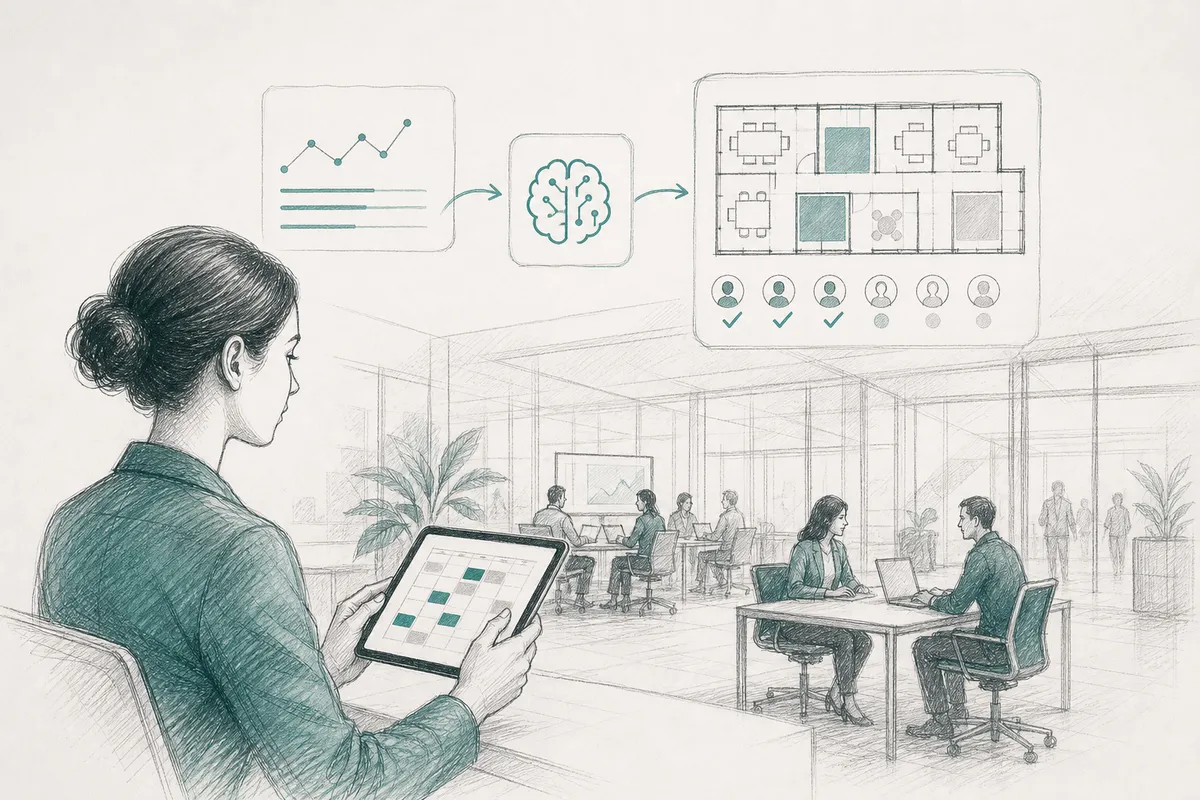
Understanding workforce scheduling intelligence is essential. AI-powered scheduling tools optimize office space by matching real-time and predicted attendance data against available space, letting you consolidate square footage without disrupting team collaboration. Instead of leasing for peak headcount, you lease for actual patterns, which day teams cluster in-office, which desks and floors sit empty, and where usage spikes. The result: lower real estate overhead and space that matches how hybrid teams actually work, not how a lease was signed years ago.
Workforce scheduling intelligence connects attendance data to space decisions, replacing guesswork with a lease footprint sized to how teams actually show up.
The mechanism is straightforward once you see it: most enterprises still lease and staff facilities for a worst-case scenario, the one week a year when nearly everyone is in the building. That means paying year-round for square footage that sits empty most days. Connecting scheduling data to real estate decisions closes that gap between what you pay for and what you use. This is particularly relevant for workforce scheduling intelligence.
Accurate forecasting requires more than a headcount number pulled from HR records. A system needs badge or check-in history to see actual past behavior, calendar signals to catch upcoming meetings and travel, team co-attendance preferences to know which groups intend to be in together, and desk or room booking patterns to catch the gap between what people reserve and what they use.
Upflex's UnifyAI engine pulls on exactly these signals to forecast attendance with 97% accuracy, giving real estate and workplace teams a day-by-day, floor-by-floor picture instead of a single blended occupancy average that hides where the empty desks actually are.
Once attendance patterns are visible by team and by floor, a company can right-size its lease instead of provisioning for the busiest day of the year. If forecasts consistently show a floor running well under capacity, that floor becomes a candidate for consolidation, folding two half-empty floors into one fully used one, or exiting a building at the next lease event. Each square foot removed from the portfolio is a direct line-item reduction in rent, utilities, and facilities cost, which is how Upflex customers have documented real estate spend reductions of 40%+.
Consolidation only works if collaboration survives it. Scheduling coordination keeps this from becoming a downgrade in employee experience, teams still cluster on shared anchor days, so the smaller footprint feels intentional rather than cramped. Upflex tracks this directly through co-attendance achievement, with a benchmark of 88% of teams hitting their in-person collaboration targets even as square footage shrinks.
The trade-off cuts both ways. Consolidate too aggressively without accounting for the specific days teams choose to cluster, and you trade an underused office for an overcrowded one on Tuesdays and Wednesdays, which reintroduces the exact complaint that pushed employees away from the office in the first place. When considering workforce scheduling intelligence, this point stands out.
Scheduling tools don't create productivity directly, they remove the coordination friction that wastes time and erodes morale in hybrid teams. The gain comes from what people stop having to do: guess, commute unnecessarily, or Slack five colleagues asking who's actually in the office.
Most lost productivity in hybrid work isn't about individual output, it's about coordination failures. An employee who commutes 45 minutes only to find their manager and two teammates working from home that day has lost time and gained nothing in return. Multiply that across a workforce of a few thousand, and the wasted trips add up to real cost, both in morale and in the case for keeping underused office space.
Workforce scheduling intelligence addresses this by giving people visibility into who else will be present before they commit to a commute. When attendance forecasting is accurate, teams can plan collaborative work, reviews, workshops, onboarding, for the days when the right people are actually there, and reserve heads-down days for remote focus work. That shift, from attendance as a mandate to attendance as a coordinated choice, is where the productivity effect actually lives.
Not all presence data is equally useful. The signal that matters most is team overlap: how many members of a working group are in the office on the same day, not just how many badges swipe in building-wide. A building at 60% occupancy can still fail teams completely if nobody's overlap days line up.
Distinguishing meeting-heavy days from focus-heavy days matters just as much. Scheduling systems that surface these patterns, flagging that Tuesdays and Thursdays are the natural anchor days for a given department, based on historical booking and calendar data, let managers set informal norms instead of blanket in-office rules. A sales team that anchors on Wednesdays for pipeline reviews and coaching sessions gets denser, more useful collaboration than a team where attendance is scattered across five days with no overlap at all. Upflex's UnifyAI engine is built around this distinction, forecasting attendance patterns so teams can hit co-attendance goals, the platform's benchmark outcome is 88% co-attendance achievement, rather than just tracking raw headcount.
The risk worth naming: optimizing purely for attendance numbers, divorced from why people are actually there, backfires. A team mandated into the office three days a week with no coordinated overlap will hit its attendance target and still lose the collaborative value that justified the mandate in the first place. For those exploring workforce scheduling intelligence, this matters.

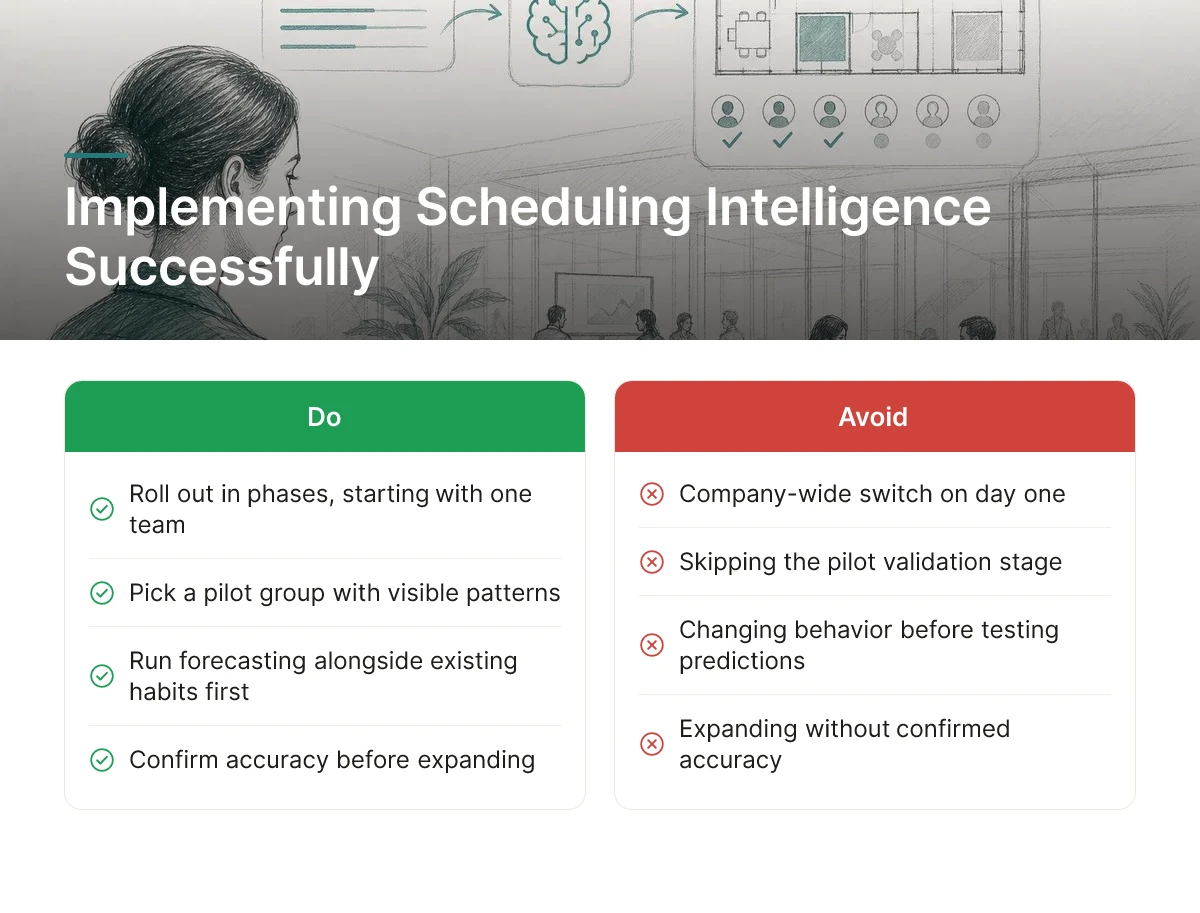
Roll out workforce scheduling intelligence in phases, starting with one team or floor, not a company-wide switch on day one.
Pick a pilot group that already has visible attendance patterns and a manager willing to test something new. Run the forecasting engine alongside existing calendar habits for a few weeks before asking anyone to change behavior. The goal at this stage is simple: confirm the tool's attendance predictions match what actually happens, then expand floor by floor or region by region once accuracy holds up. Upflex's UnifyAI engine, for example, is built to reach 97% forecast accuracy, but that number only matters once it's validated against your own population, not a vendor benchmark.
Three friction points show up almost every time: calendar integration resistance from IT, employee suspicion that attendance data is being used for surveillance, and managers who quietly override the system's recommended schedules with their own judgment.
IT teams often resist connecting scheduling tools to Outlook or Google Calendar because it means granting another system access to sensitive data. Employees, meanwhile, frequently assume attendance forecasting is a prelude to monitoring individual performance rather than planning space. Managers, used to running their own team calendars, may not trust an algorithm's suggestion over their own read of the team's rhythm.
Address the surveillance concern directly and early. Frame the rollout around space and coordination, "we're forecasting how many desks we need on Tuesday," not "we're tracking who's at their desk and when." That distinction, communicated by leadership before the tool goes live, defuses most of the resistance HR and workplace teams encounter. Letting managers see and adjust recommendations, rather than having decisions imposed on them, also converts skeptics into users faster than a mandate would.
Expect early signal on data accuracy within a few weeks, but meaningful space or real estate decisions require several full attendance cycles first. This directly impacts workforce scheduling intelligence outcomes.
A cycle typically spans a few weeks of normal office rhythm, including at least one full month to smooth out holidays, travel, and one-off anomalies. Don't act on space consolidation or lease decisions until the forecasting model has been tested across enough of these cycles to separate a real pattern from noise. Integration with existing calendar and badge systems is the technical precondition that makes any of this possible, without that data flowing in automatically, the forecasting engine is guessing rather than learning.
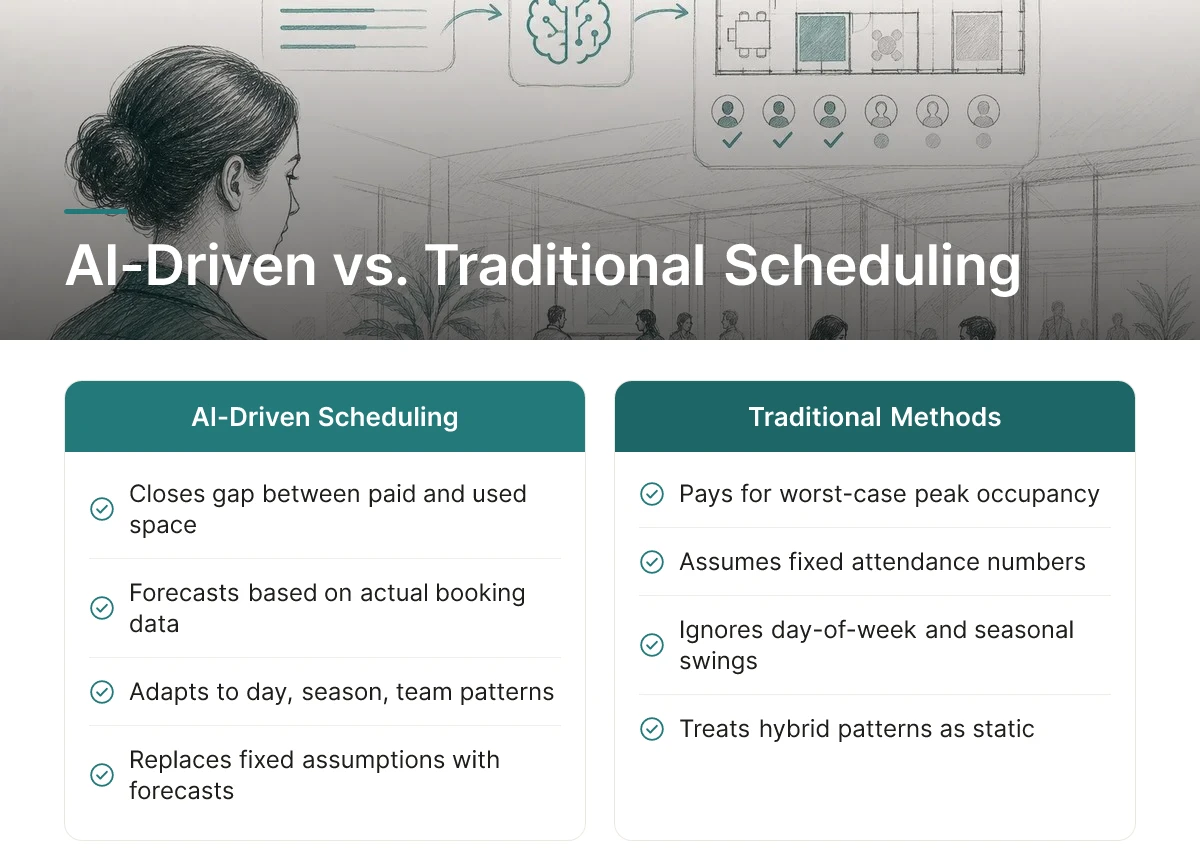
AI-driven scheduling returns value by closing the gap between space you pay for and space people actually use, while traditional methods pay for a guess.
Traditional scheduling leases and staffs for assumed peak occupancy, the worst-case Tuesday, multiplied across every floor, every quarter, every year of the lease term. That assumption rarely matches reality. Hybrid attendance swings by day of week, season, and team, and most legacy planning treats it as a fixed number rather than a moving pattern. Workforce scheduling intelligence replaces that fixed assumption with a forecast built on actual booking, badge, and calendar data, which is why the savings show up specifically in the difference between what a company built capacity for and what it actually used.
Four metrics tell you whether the investment is working, and each maps to a different part of the cost structure.
Real estate savings and productivity gains land on different clocks, and confusing the two leads to premature judgments about whether the investment is paying off.
Space savings tend to materialize at discrete moments, lease renewals, renegotiations, or a decision to consolidate floors, because that's when contractual capacity can actually change. Productivity and coordination gains, by contrast, accrue continuously from the day forecasting and booking data start informing team scheduling, well before any lease event occurs. This is particularly relevant for workforce scheduling intelligence.
Implementation approach also shapes the return. A narrow pilot confined to one floor or one business unit produces slower, smaller gains, because forecast accuracy and coordination benefits improve as more of the portfolio and more teams feed data into the system. A phased but company-wide rollout compounds faster, giving finance and real estate leaders a fuller utilization picture sooner and a stronger case for portfolio-level decisions like the 40%+ real estate spend reductions Upflex customers have documented.
Choose a platform by testing integration fit first, forecasting accuracy second, and pricing tier last, in that order, not the reverse.
Most procurement processes start with a feature checklist and end with a pricing negotiation. That sequence causes trouble in workforce scheduling intelligence specifically, because a platform that looks capable in a demo can still fail once it's forced to reconcile real badge data, calendar conflicts, and HR system records. Evaluate in the order that actually predicts success: fit, accuracy, then cost.
Legacy shift-scheduling tools were built for retail and hospitality labor allocation, assigning shifts against fixed headcount and availability rules. Hybrid office coordination asks a different question: not who's scheduled to work, but who's actually coming in, and whether the right people are showing up on the same days. Three capabilities separate modern platforms from that older category:
Upflex's UnifyAI engine, for example, forecasts attendance at 97% accuracy and pairs that forecast with automated coordination workflows and desk booking, so the platform is recommending action rather than just reporting history.
Treat integration as a gating requirement, not a nice-to-have, a platform fails immediately if it can't connect to your calendar system, badge or access-control system, and HR system of record. Test these connections during the sales process, not after signing. Ask for a live sandbox that pulls real (or realistic sample) data from your Microsoft 365 or Google Workspace calendar, your access-control provider, and your HRIS, and confirm the data flows both ways without manual exports. When considering workforce scheduling intelligence, this point stands out.
Once integration clears, weigh pricing in qualitative tiers rather than chasing the lowest quote. Budget-friendly tools typically cover basic desk booking with limited forecasting. Mid-range platforms add analytics and some automation. Enterprise-tier platforms bundle predictive forecasting, cross-team orchestration, and network access to on-demand space, matched to the scale and complexity of a global portfolio.
Before committing, pilot the vendor's forecasting accuracy claim against your own attendance data for at least one full quarter, rather than accepting a marketing figure at face value. Also confirm how attendance data is stored, who can see individual-level presence records, and whether scheduling recommendations show any pattern of disadvantaging specific teams or individuals, those governance questions belong in the evaluation, not as an afterthought.

No, scheduling intelligence informs real estate strategy, it doesn't replace the decisions leaders still have to make. Attendance forecasting tells you how much space you actually need and when, but consolidating leases, renegotiating terms, or exiting a building remains a strategic call for corporate real estate and finance leaders to own together.
Yes, and it's often where the tool pays off fastest since occasional office days are the hardest to plan around. Forecasting tools flag which days a mostly-remote team is likely to converge, so you can right-size a smaller footprint or lean on on-demand workspace access instead of holding underused permanent space.
Attendance data should be aggregated for space-planning decisions, not used to monitor individuals, that distinction matters for trust and, in many jurisdictions, for compliance. Enterprise platforms typically let HR and IT set access controls and retention limits, so leaders should confirm how a vendor anonymizes or aggregates data before rolling out any tracking-based tool company-wide.
Smaller companies benefit too, though the case is different, it's less about portfolio consolidation and more about avoiding wasted spend on a single lease. Even one office with unpredictable attendance can justify forecasting and flexible workspace access, since the cost of guessing wrong is proportionally just as painful.
Workforce scheduling intelligence works because it replaces guesswork with forecasting: knowing which days teams will actually show up lets you size real estate to real demand instead of worst-case assumptions. The leaders getting the most out of it pair attendance forecasting with flexible capacity, internal desks plus on-demand workspace access, rather than betting everything on a fixed footprint. Upflex customers use exactly this combination, with UnifyAI forecasting attendance at 97% accuracy to support portfolio decisions that have cut real estate spend by 40% or more. Start by auditing one underperforming office: pull three months of badge or booking data and compare it against your current lease commitment.
Explore more from our content library: