Share This Article
No items found.

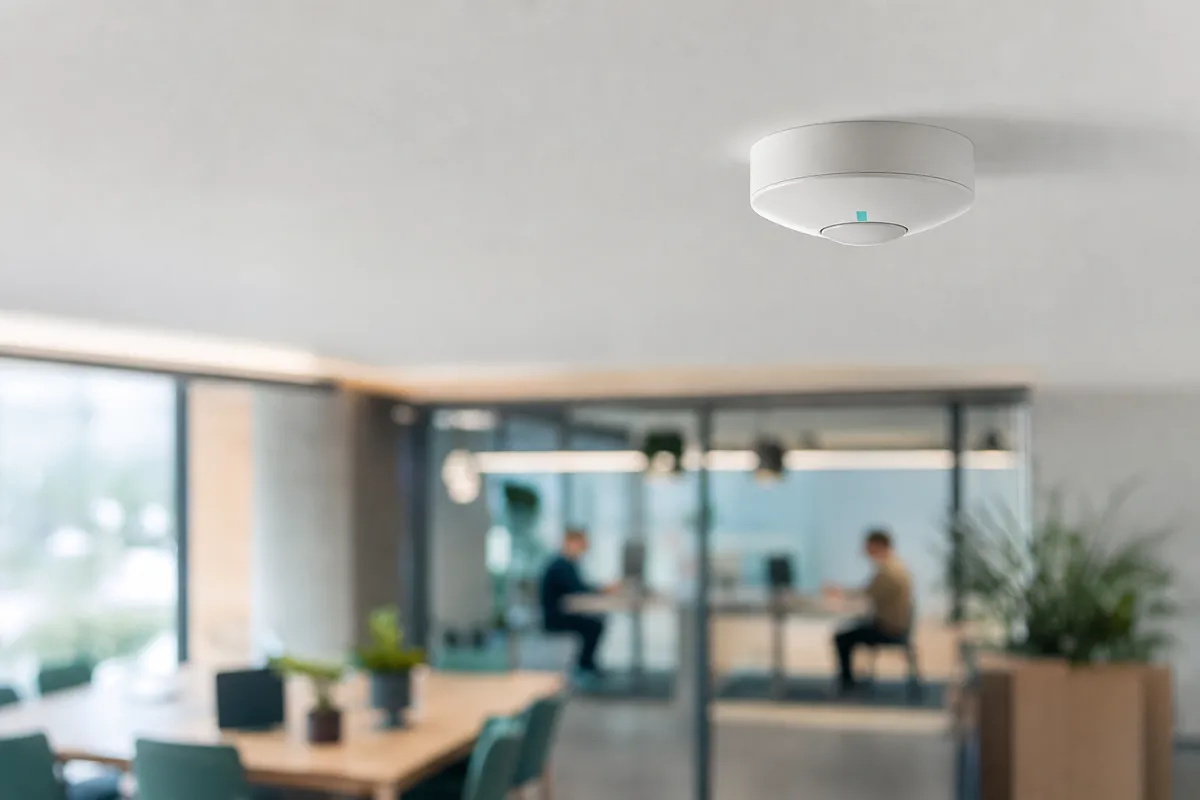
Understanding occupancy sensors for offices is essential. Occupancy sensors optimize hybrid office space when you pair them with a clear data policy and a phased rollout, aggregate presence data to right-size real estate, not to track individuals. Start by piloting sensors in shared zones (desks, meeting rooms) before expanding, anonymize data at the collection point, and communicate the purpose to staff before installation day. Done this way, the same data that reveals underused floors also builds the trust needed to act on it.
Four things need to be in place before procurement starts: the right sensor hardware, a network to carry the data, a platform to analyze it, and a privacy policy written before, not after, installation.
Skipping any one of these turns a space-optimization project into a compliance headache or a pile of unused hardware. Here's what each category requires.
Motion sensors detect movement and reset on stillness; true occupancy sensors detect sustained presence, which is what workplace planning actually requires.
This distinction matters because a motion sensor will read an empty desk as "vacant" the moment someone stops typing, undercounting actual usage throughout the day. Occupancy-grade sensors are built to register presence duration, someone sitting still on a call still registers as present, and to distinguish desk-level occupancy from room-level headcount [4]. PointGrab's buyer guidance makes the same point: vendors market both categories under "occupancy," but only presence-duration sensors generate data reliable enough to justify a lease decision [3]. Before signing a purchase order, confirm which category a vendor is actually selling.
Buyers also need to separate detection method from data governance. Some systems use cameras or device tracking, while others rely on thermal or infrared signals that never capture identifiable images, a difference that matters as much for employee trust as for sensor accuracy [5].
Budget tiers vary by sensor density and integration complexity, not just unit price. A single-floor pilot with a handful of room sensors sits at the budget-friendly end; enterprise rollouts spanning multiple sites with full booking-platform integration push into mid-range or premium territory, regardless of how cheap individual sensors are.
Before any hardware ships, assemble a cross-functional group: IT/security to vet network and data handling, HR or legal to sign off on the privacy policy, facilities to plan physical installation, and an employee representative to flag concerns before they become resistance.
Set a scope before you buy anything: decide which spaces, which questions, and which real estate decisions the data will inform. Skip this step and you end up with sensor data no one trusts or uses.
The business case starts with cost. Occupancy sensors for offices exist to reveal the gap between what a company pays for and what employees actually use, an underused floor, a meeting room booked daily but occupied a fraction of the time, a desk neighborhood that's empty every Monday and Friday. That gap is where consolidation and subleasing decisions come from. Metrikus frames this directly: without accurate occupancy data, companies can't make informed decisions about cutting real estate costs or reducing energy spend, because they don't know how space is actually being used [1]. The goal isn't to watch people, it's to find square footage you're paying for and not using.
Scope your deployment by zone, not by employee. Set goals at the level of a floor, a desk neighborhood, a meeting room category, or a phone booth cluster, not at the level of an individual badge or device. PointGrab's guidance for office deployments stresses that offices combine open-plan desk areas, enclosed rooms of varying sizes, and shared amenities, and each space type needs its own measurement logic rather than one blanket sensor policy [3]. A 12-person conference room has different utilization questions than a bank of phone booths or a hot-desk row.
Occupancy sensor data typically captures presence, duration, and time-of-day patterns for a space, not who is sitting in it. That's a different data category than badge swipes or device tracking tied to an identity, and it's the distinction that keeps a deployment focused on space planning rather than surveillance [2].
Turning that raw data into decisions means aggregating by space type, comparing booked occupancy against actual occupancy, and trending patterns over weeks rather than single days, a quiet Tuesday means nothing; a quiet pattern across six weeks means the space is a candidate for consolidation.
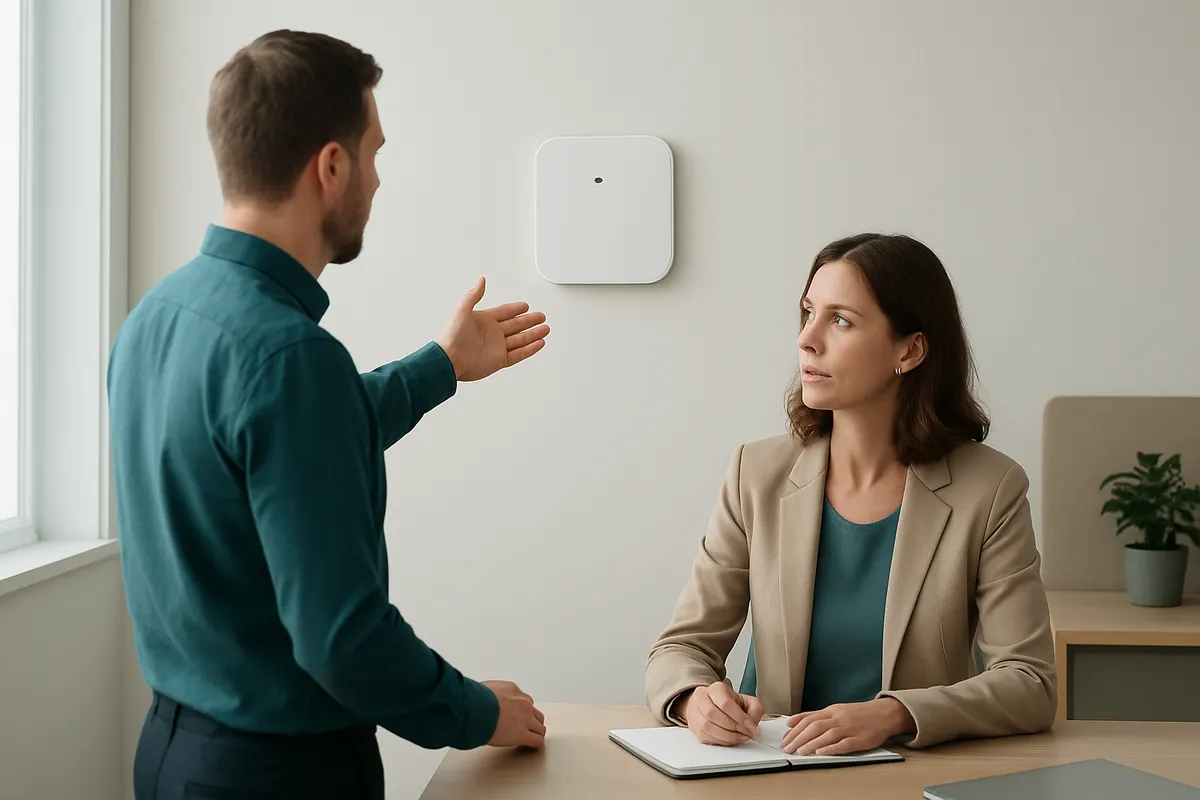
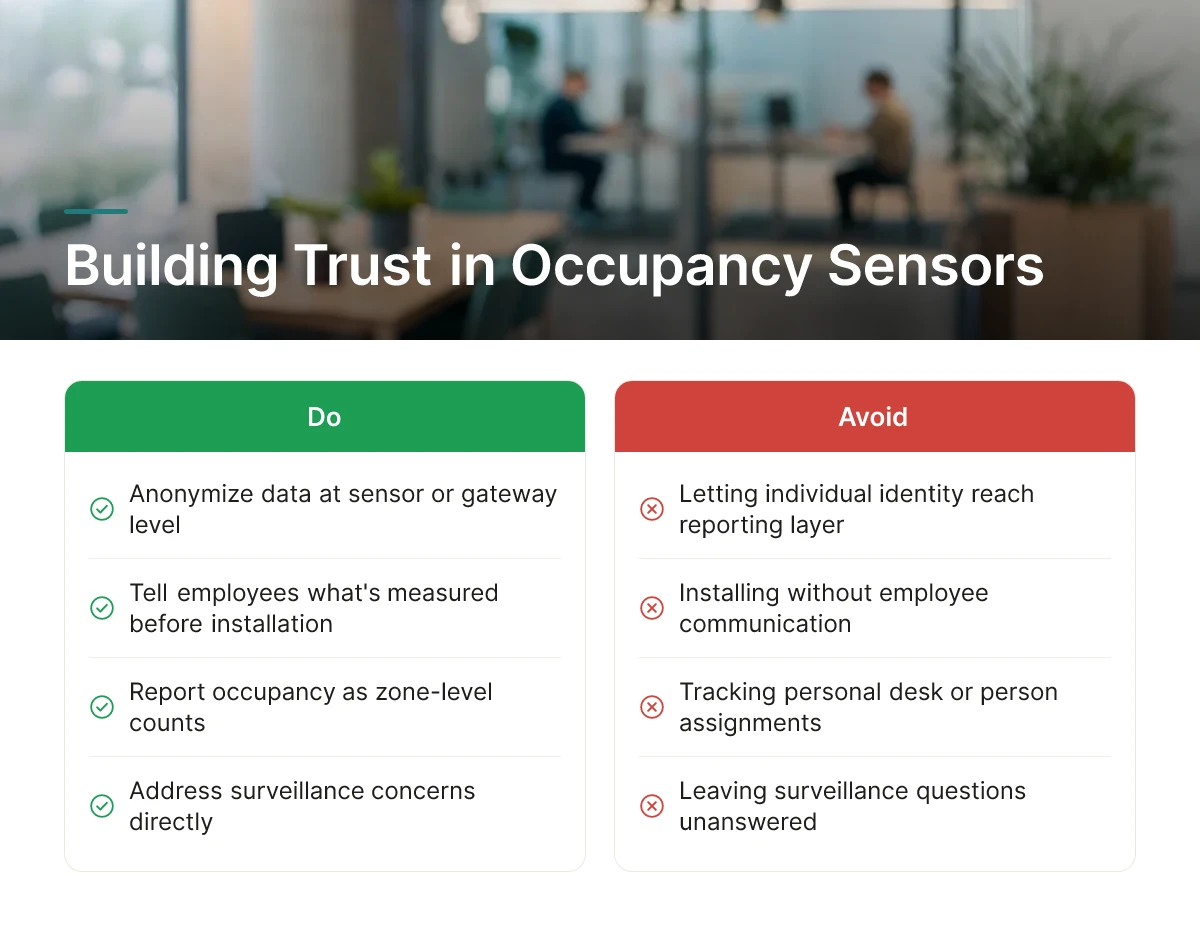
Trust in occupancy sensors for offices depends on three things: stripping identity from the data, telling employees exactly what's measured before installation, and answering the surveillance question directly.
Start with the technical safeguard, because it makes every later conversation easier. Anonymize data at the sensor or gateway level, so individual identity never reaches the reporting layer. Most office-grade sensors, thermal, infrared, or CO2-based rather than camera-based, are built to count people in a zone, not identify who they are [3]. Report occupancy as zone-level counts (desks 12 through 20, meeting room B) rather than tying any reading to a badge ID, a Wi-Fi MAC address, or a named employee. This separation is what distinguishes occupancy monitoring from the badge-swipe and device-tracking systems that raise the most employee objections [4].
Before a single sensor goes up, circulate a short communication plan. It should state plainly what's being measured (how many people occupy a zone, at what times), what isn't (identity, productivity, time away from desk), who has access to the resulting reports, and how long the data is retained. Vague answers here are what turn a space-planning project into a trust problem. Disruptive Technologies notes that occupancy data tied to employee movement inevitably raises right-to-privacy questions, the fix is removing that link before anyone asks [2].
Answer the surveillance question before employees ask it, not after someone files a complaint.
Three concerns come up in nearly every rollout: "Will this track me at my desk?" "Will this data show up in my performance review?" and "Are these cameras?" Rule out each one explicitly. Confirm sensors report aggregate zone counts, not individual presence tied to a name. State in writing that occupancy data feeds real estate and space-planning decisions, not HR systems or manager dashboards. Specify the sensor type in plain language, most workplace deployments use passive infrared or thermal sensors, not cameras, precisely because they can't capture identifiable images [3][5].
Publish a short, plain-language data-use policy and keep it accessible after launch, not just during rollout.
Cover what's collected, retention period, who can view reports, and how employees can raise concerns. Where practical, give employees visibility into aggregate utilization for their own floor or zone, data about the space, never about them individually. Platforms like Upflex apply this same principle to attendance forecasting: UnifyAI processes scheduling and utilization inputs to predict attendance patterns at the team and floor level, not to monitor individual employees, which keeps the forecasting model aligned with the privacy commitments made during rollout.
Sensor data creates value only when it reaches a system that acts on it, a building management system (BMS) for energy control, or a workplace platform for booking and space planning.
Occupancy sensors for offices typically feed two distinct pipelines, and most enterprises need both. The first routes real-time presence data into the BMS, where it adjusts HVAC output and lighting based on actual room usage rather than fixed schedules, cutting energy waste in zones that sit empty for hours. The second routes the same data (or a parallel feed) into a workplace platform, where it informs desk availability, booking accuracy, and longer-term space planning. Treating these as one integration project, rather than two bolted-on afterthoughts, prevents the common failure mode where sensors generate dashboards nobody checks [4].
Before purchasing hardware, confirm compatibility on three fronts: open APIs that let sensor data flow into third-party software without a custom build, support for common data standards so the output isn't locked to one vendor's interface, and gateway or network protocol support (BLE, Zigbee, Wi-Fi, or LoRaWAN, depending on building size) that matches your existing network infrastructure [3]. Vendors that keep data proprietary make it harder to switch workplace platforms later, a software-agnostic approach gives real estate and IT teams more control over the stack [3].
Feed sensor output into the desk booking system so availability reflects actual use, not just reservations. Booking data alone tells you what was reserved; sensor data tells you what was actually occupied, a gap that matters when no-show rates distort utilization reports [4]. Once connected, workplace platforms can flag underused neighborhoods, rebalance desk ratios, and surface the utilization patterns that justify consolidating a floor or an entire building.
ROI follows from the mechanism, not a projected number: lower square footage requirements, reduced HVAC and lighting waste, and better-informed lease decisions compound over each renewal cycle. Upflex connects this same occupancy logic to its UnifyAI forecasting engine, pairing sensor-informed utilization data with attendance predictions so real estate teams can act on space decisions instead of just observing them.
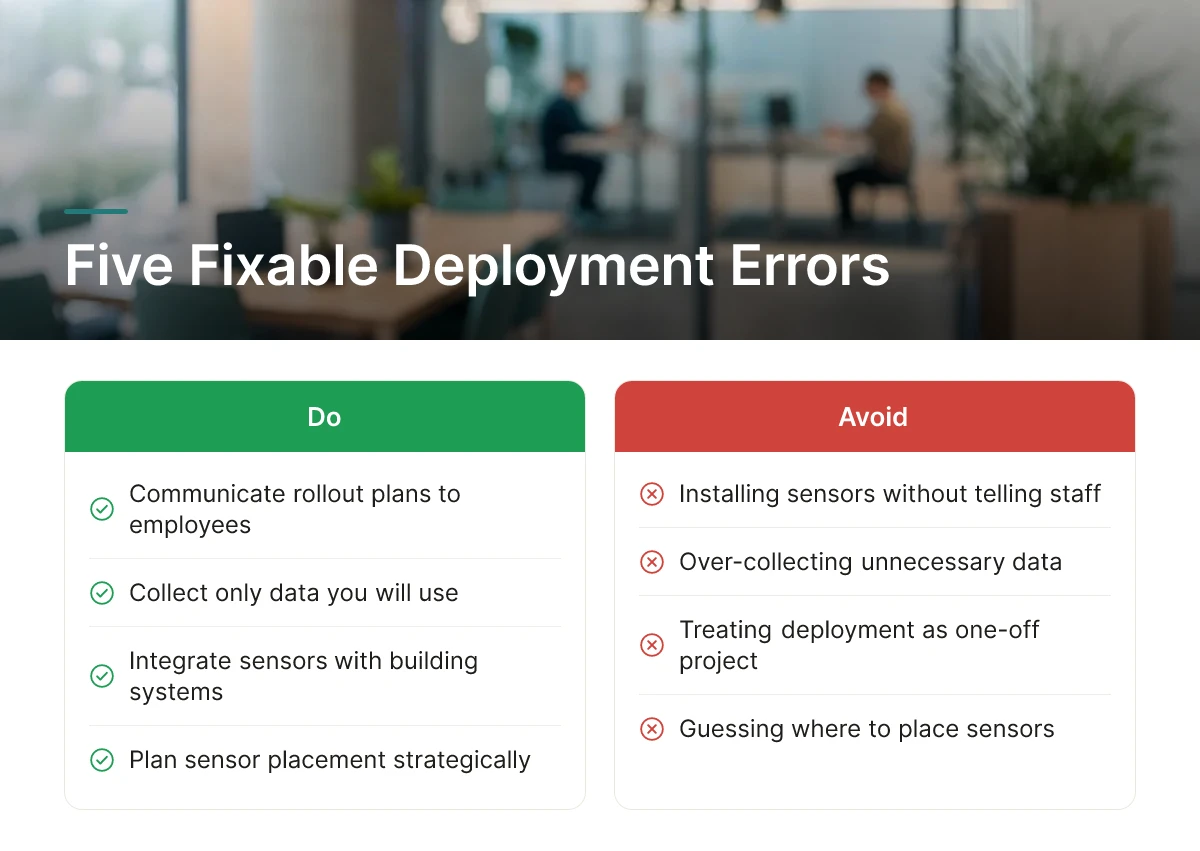
Most failed rollouts of occupancy sensors for offices trace back to five fixable errors: silence, over-collection, one-off thinking, poor integration, and guesswork placement.
If your deployment is already underway, use this as a troubleshooting checklist. If you haven't launched yet, treat it as a pre-flight check.
Installing sensors without telling employees is the fastest way to damage trust, even when the data collected is fully anonymized [2]. Employees who spot an unfamiliar device on the ceiling and get no explanation assume the worst, surveillance, performance tracking, attendance policing. The fix isn't complicated: a short internal notice explaining what the sensor measures, what it doesn't, and why the company is measuring it heads off most objections before they form.
Logging identity-linked data, badge IDs, device MACs, Wi-Fi handshakes tied to individual employees, when all you need is a headcount per zone creates privacy exposure with no corresponding benefit. The space-utilization question (how many people, where, for how long) doesn't require knowing who. Thermal and infrared sensors that count presence without capturing identifiable images or device identifiers answer the business question while keeping the privacy footprint small [5].
Running sensors for a quarter, producing a utilization report, and shelving it wastes the ongoing value of the system. Space needs shift as teams reorganize, hybrid schedules change, and leases come up for renewal. Occupancy data works best as a continuous feedback loop feeding quarterly space-planning reviews, not a single snapshot filed away after the initial analysis [1].
Sensor data that lives in its own dashboard, disconnected from booking systems or building controls, delivers a fraction of its potential value. Upflex addresses this by folding occupancy and attendance signals into one orchestration layer, UnifyAI forecasts attendance at 97% accuracy and feeds that directly into desk booking and space-planning workflows, so utilization data drives decisions instead of sitting stranded in a separate report.
Sensor density should map to the space types defined during planning, open desk neighborhoods, enclosed meeting rooms, phone booths, and shared amenities each have different traffic patterns and require different sensor counts and placement logic [3]. Installing a uniform grid without accounting for these differences produces data that looks precise but misrepresents how specific zones actually get used.
Motion sensors detect movement to trigger lights or HVAC, while occupancy sensors measure presence, count, and dwell time for space-planning decisions [4]. A motion sensor goes idle the moment someone sits still at a desk, which makes it unreliable for utilization data. Occupancy sensors, often using thermal or infrared detection, keep registering a person who isn't moving [4].
Address identity exposure first, employees need assurance that sensors count people without tracking who they are individually [2]. The strongest deployments use anonymized detection methods like thermal or infrared signals rather than cameras or device-based tracking, and communicate clearly what data gets collected and why [3]. Written policies and opt-in transparency build the trust needed for accurate, unresisted data collection [2].
Sensor systems with open APIs integrate most smoothly, feeding real-time utilization data directly into scheduling and forecasting tools [3]. Upflex, for example, combines attendance forecasting with desk booking and real estate analytics, so occupancy data strengthens its UnifyAI predictions rather than sitting in a separate dashboard. A software-agnostic approach avoids locking you into one sensor vendor [3].
Compare sensor and implementation costs against the real estate savings unlocked by accurate utilization data, since unused space is often the largest recoverable cost [1]. With average desk costs running around $7,700 a year and up to 67% of office space unoccupied at any given time [2], even modest consolidation driven by sensor data can offset deployment costs within one lease cycle. Factor in energy savings too [1].
Deployment involves mapping zones, desks, meeting rooms, phone booths, and shared amenities, then selecting sensor technology suited to each [3]. Office environments mix open-plan neighborhoods with enclosed rooms, so a single sensor type rarely covers every use case [3]. Plan installation, network connectivity, and data integration with existing workplace software before rollout.
Occupancy sensors only pay off when the data they generate changes a real decision, a lease renewal, a floor consolidation, a desk ratio adjustment. Treat privacy as a design requirement from day one, choose anonymized detection methods, and communicate openly with employees about what's measured and why [2]. Pair sensor data with attendance forecasting rather than reading it in isolation; raw occupancy counts explain what happened, but platforms like Upflex use that data alongside UnifyAI's 97% forecast accuracy to tell you what to do next. Start by auditing one underperforming floor, instrument it, and let 90 days of data inform your next portfolio decision.
Explore more from our content library: