Share This Article
No items found.


Space allocation software ends turf wars by replacing subjective, first-come-first-served desk and room claims with data-driven rules everyone can see and trust. It tracks real-time occupancy and booking patterns, then automatically balances demand across floors, teams, and days, so no single department can hoard space while another goes without. The result is fewer disputes over desks and meeting rooms, lower real estate costs from eliminating underused square footage, and a transparent system that managers can point to instead of mediating conflicts themselves.
Space allocation software pulls occupancy sensors, badge swipes, and desk booking history into one feed, turning scattered signals into a forecast of who shows up and when.
Each data source answers a different question. Occupancy sensors confirm which desks and rooms are actually used, not just reserved. Badge data shows building-level attendance by day and department. Booking history reveals patterns, which teams cluster on Tuesdays and Wednesdays, which floors sit empty on Fridays. Combined, these inputs let a forecasting engine predict attendance before the week starts, rather than reacting to it after the fact. Upflex's UnifyAI engine, for example, processes these inputs to forecast attendance with 97% accuracy, giving workplace teams a reliable number to plan around instead of a guess.
Accurate forecasting replaces guesswork about capacity with evidence, letting leaders consolidate floors or exit leased space with confidence instead of risk.
Office vacancy has become a persistent problem rather than a temporary dip. Moody's Analytics found that almost 20% of office space in major U.S. cities sat unleased as of the fourth quarter of 2023, the highest rate recorded since at least 1979 [2]. Carrying that much unused square footage costs money every month regardless of who shows up. When a demand forecast shows that a department never exceeds 60% attendance on its heaviest day, a real estate leader can reduce allotted floor space to match, consolidate two half-empty floors into one, or decline to renew a lease rather than guess and risk a shortfall. CBRE's own occupancy research across nearly 6,000 buildings and 350 million square feet shows how widespread this utilization gap has become across major corporate portfolios [2].
It eliminates double-booked desks, territorial team claims on conference rooms, and neighborhood clashes when overlapping hybrid schedules collide.
These conflicts share a root cause: manual sign-up sheets and first-come-first-served booking force employees to negotiate for space, and negotiation breeds resentment. Dynamic, rules-based allocation removes that negotiation entirely. Instead of a team quietly claiming a room as "theirs" or two people showing up to the same desk, the system assigns space by live demand and preset rules, capacity limits, team neighborhoods, booking windows, that apply the same way to everyone. Reactive reshuffling, where a facilities manager rearranges seating after complaints pile up, gets replaced by proactive rebalancing that adjusts allocation across the week before conflicts start. That shift from manual mediation to automated, transparent rules is what makes space allocation software a cost tool and a workplace-peace tool at once.
Good space allocation software combines real-time scheduling, zone logic, utilization analytics, and self-service booking in one system, not scattered across spreadsheets and calendar invites.
A basic booking calendar tells you a desk is reserved. It does not tell you whether that desk sits empty three days out of five, whether your sales team keeps colliding with finance over the same conference rooms, or whether the floor you just renovated is being used the way you planned. The gap between a calendar and a real system is where most hybrid-work conflicts and wasted square footage live.
Hybrid models need software that links individual bookings to team-level coordination, not just seat reservations. One of the most overlooked capabilities is neighborhood or zone assignment, grouping desks by team or department so colleagues who need to collaborate end up near each other on any given day.
The logic matters as much as the grouping. Zones should flex with attendance patterns rather than becoming permanent turf; a team that books the same cluster every Tuesday shouldn't be able to lock out everyone else for the rest of the week. CBRE's occupancy research across nearly 6,000 buildings found organizations are still working out how to match space design to actual attendance behavior rather than assumptions made before hybrid work took hold [2]. Software that enforces rotating or demand-based zone assignment prevents informal squatting from undoing whatever space plan finance signed off on.
Desk booking, room reservations, and event scheduling need to run through one system because fragmented tools create the exact conflicts space allocation software is supposed to eliminate. If desks live in one app and conference rooms live in Outlook, nobody has a single view of who's actually coming in, and double-bookings become routine.
Self-service booking with automated conflict resolution is what removes facilities managers from the job of manual referee. Waitlists that activate automatically when a popular room fills up, and auto-release rules that free a desk when someone doesn't check in within a set window, keep inventory honest without anyone sending a follow-up email. Upflex builds this into its desk booking and space management workflows, pairing reservation logic with UnifyAI's attendance forecasting so booking patterns reflect who's actually showing up, not just who clicked "reserve" weeks in advance.
None of this works if people won't use it. Mobile access and visual floor maps are adoption features as much as functional ones, employees book faster when they can see an interactive map of their floor from a phone than when they're parsing a dropdown list of desk ID numbers. OfficeSpace's own hybrid-work positioning leans on this same principle: interactive maps that help people find colleagues and amenities, not just open seats [3]. For more information, see Ai Seo Software Complete Guide To Tools Platforms 2026.
Underneath all of it, utilization dashboards turn space decisions from guesswork into evidence. A dashboard that breaks down occupancy by floor, team, and day of week tells a corporate real estate leader exactly where square footage is earning its cost and where it isn't, far more useful than a stream of complaints about "never finding a desk."
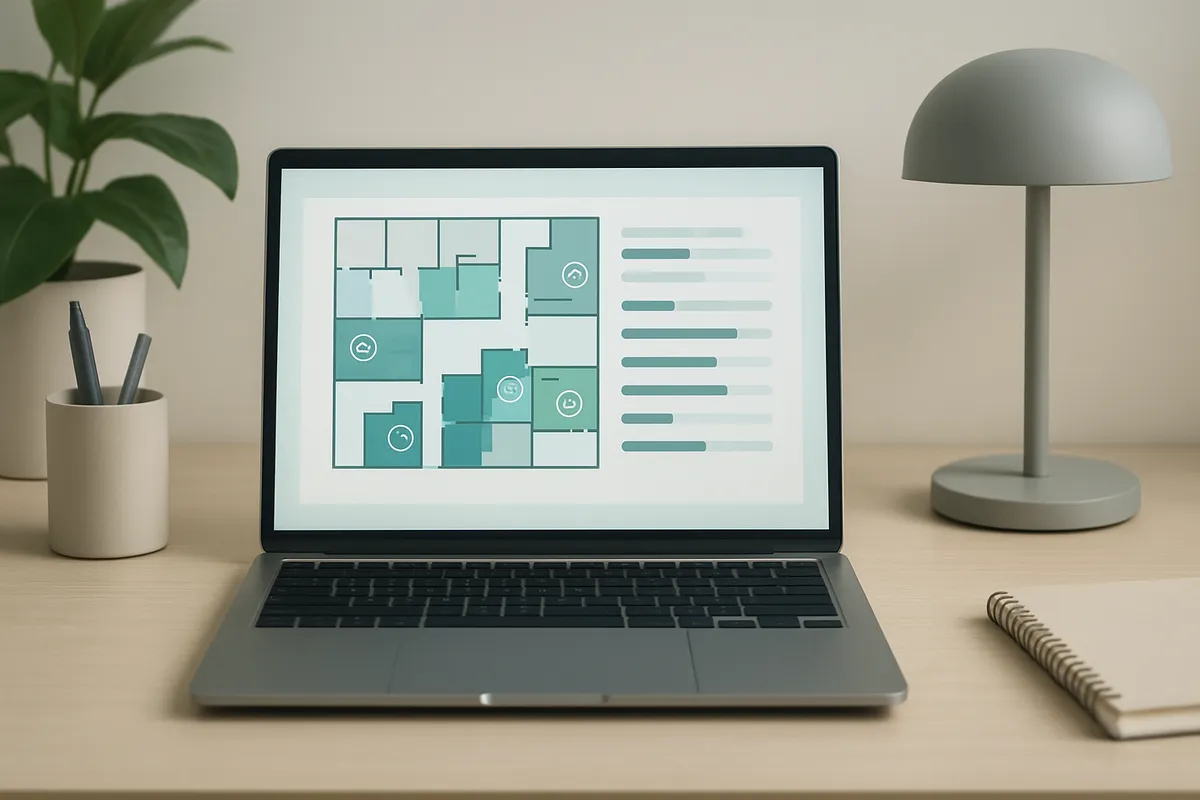
ROI from space allocation software comes from two buckets: hard real estate savings you can put in a spreadsheet, and soft productivity gains that show up in fewer HR tickets and happier managers.
The mechanism is straightforward. Once utilization data shows a floor or building running at a fraction of its capacity, you have the evidence to sublease unused space, consolidate two offices into one, or decline to renew a lease that's coming up for renewal. Office vacancy in major U.S. markets hit nearly 20% by the fourth quarter of 2023, the highest level since at least 1979, which means landlords are often willing to negotiate shorter terms or smaller footprints when a tenant can show real usage numbers [2]. Space allocation software gives real estate leaders that evidence instead of a guess. A floor running at 35% occupancy three days a week is a much easier case to make to a CFO than a hunch that "it feels empty."
Not every gain shows up in square footage. Track the hours facilities and HR teams spend resolving desk disputes, reassigning neighborhoods, or fielding complaints about no-shows holding reserved space, those hours have a cost even if nobody tracks them today. A drop in escalations is a real signal that booking rules and forecasting are working, not just a nice-to-have. Teams that previously emailed facilities every week about a double-booked desk or a missing workstation stop doing that once the system enforces rules automatically.
Start with a pilot floor, run it for a full data collection cycle, then expand company-wide once the rules are tested. Skipping the pilot is the most common reason rollouts stall, without a smaller test group, you don't know whether your booking policies, desk ratios, or forecasting assumptions actually hold up against real attendance patterns. A pilot typically runs long enough to capture multiple weekly cycles, including at least one full month, so you see how attendance shifts around holidays, all-hands meetings, and quarter-end crunches.
Change management matters as much as the software itself. Communicate new booking rules clearly before go-live, not after complaints start. Name a space champion in each department, someone who can answer questions, flag friction points, and model the new behavior. Expect pushback from employees used to a fixed desk; frame the change around what they gain, like guaranteed availability or proximity to teammates, rather than only what they lose.
On-premise deployments carry upfront infrastructure costs and put the burden of maintenance, security patches, and updates on your IT team indefinitely. Cloud-based space allocation software shifts that burden to the vendor through an ongoing subscription, trading a lower upfront cost for continuous payments and less internal control over the update cycle. For enterprises managing multiple sites, the cloud model usually wins on total cost of ownership because it avoids duplicating server infrastructure at every location and scales new buildings without a parallel IT buildout. Upflex runs as cloud SaaS, which removes the infrastructure maintenance question entirely while still giving real estate and IT teams a single dashboard across every office in the portfolio.
Space allocation software earns its keep by connecting to the HR, facilities, and calendar systems you already run, not by replacing them with a standalone silo.
A platform that sits disconnected from your HR directory, your work order system, and your employees' calendars becomes one more login nobody uses. The integrations below determine whether real estate and workplace leaders treat the output as reliable enough to act on.
HR system integration keeps team rosters, reporting lines, and org changes synced automatically, so space assignments don't drift out of date every time someone transfers teams or a new hire starts. Without this link, facilities teams end up manually re-entering headcount changes in a spreadsheet that's already a week behind reality, the exact patchwork problem that pushes real estate leaders toward a single platform in the first place.
CMMS and ERP integration matters for a different reason: it connects space data to maintenance requests and facility cost accounting. When a floor's utilization numbers feed directly into your ERP's cost center reporting, finance can tie square footage to actual spend per department rather than relying on static lease allocations. That link is what turns a desk booking log into evidence a CFO can use for a lease renewal decision.
Calendar and single sign-on integration is less glamorous but drives daily adoption more than any other connection point. Employees book desks and check team schedules from Outlook or Google Calendar, not a separate app, if booking requires leaving the calendar they already live in, usage drops. Upflex builds its desk booking and attendance forecasting workflows around this principle, syncing with the email and calendar platforms teams already use so coordination happens where work already gets scheduled.
Occupancy and headcount data is sensitive, it reveals who works where, how often, and alongside whom. Enterprise deployments need clear access controls so only authorized roles can see individual-level attendance data, data residency options for teams operating under regional privacy rules, and audit trails that log every space change for compliance review.
Vendors also differ on openness. Platforms with open APIs let your IT team build custom connections to legacy tools like Archibus or Planon as needs change; closed systems lock you into whatever integrations the vendor ships out of the box [4]. For a multi-year real estate strategy, that flexibility difference compounds, it's the gap between a system that grows with your portfolio and one you outgrow in three years.
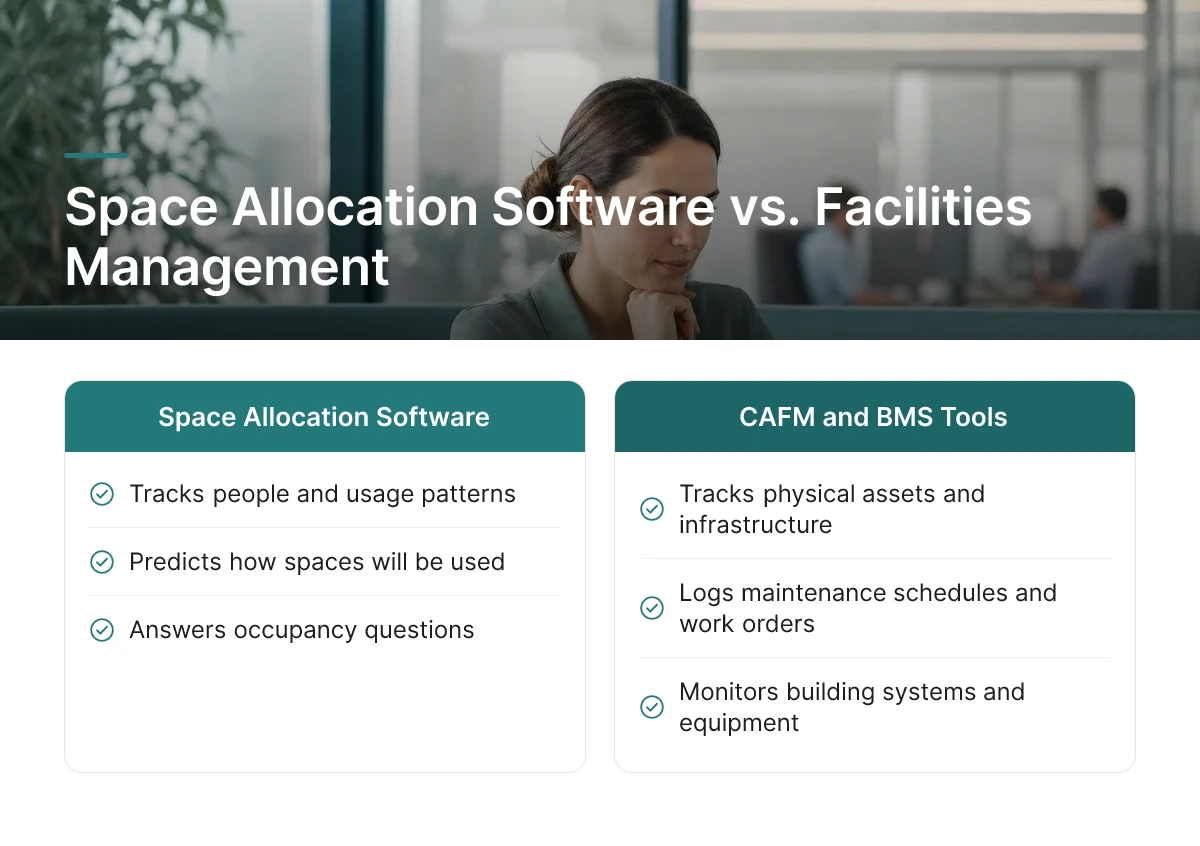
CAFM and building management systems track physical assets and building infrastructure, while space allocation software tracks people and predicts how they will actually use a space on a given day.
A legacy facilities management platform was built to answer one question: where is this asset, and when does it need maintenance. Computer-aided facility management systems log square footage, HVAC schedules, lease terms, and work orders. Building management systems monitor the physical plant, lighting, temperature, elevators, security sensors. These are asset-of-record systems, and large enterprises still need them for compliance, maintenance planning, and capital budgeting.
this strategy asks a different question: who needs this space right now, and who will need it tomorrow. Instead of a static floor plan with fixed assignments, it works from live attendance patterns, team schedules, and booking behavior. A CAFM record might tell you a floor has 300 desks; it has no mechanism for knowing that only 140 people are likely to show up on a given Tuesday.
The layer missing from older systems is workforce behavior, forecasting who's coming in, coordinating when teams overlap, and resolving booking conflicts before they happen. Upflex's UnifyAI engine, for instance, forecasts office attendance with 97% accuracy and tracks whether teams are hitting co-attendance targets, reporting an 88% achievement benchmark across customers. CAFM tools were never built to process scheduling inputs or predict demand; they were built to catalog what already exists in the building.
This gap matters because hybrid attendance is uneven by design, most organizations now run at well below full occupancy on any given day [2], and CBRE's own occupancy research across nearly 6,000 buildings found that understanding attendance and space-use patterns is central to getting office optimization right [2]. A system that only tracks assets can't act on that variability. One that forecasts attendance and automates desk booking can.
Few vendors combine both layers natively, which is why many enterprises run them in parallel rather than treating one as a replacement for the other [4]. CAFM handles the physical asset lifecycle, leases, maintenance, capital planning. this approach handles daily dynamic use, who's coming in, where they sit, whether teams are actually coordinating their in-office days. Replacing CAFM with allocation software (or the reverse) usually leaves a gap; running both, with allocation data feeding real estate decisions, is what lets corporate real estate leaders right-size a portfolio with confidence rather than guesswork.
Yes, companies with in-office mandates or fixed schedules still benefit from occupancy data and desk booking. Even a mostly in-office workforce has fluctuating attendance from travel, PTO, and client visits, so forecasting tools help right-size space and avoid paying for capacity nobody uses. The value scales with how much attendance varies week to week.
No, it supports facilities managers rather than replacing them. The software automates data collection and forecasting, but decisions about lease renewals, vendor contracts, and physical space changes still require human judgment and cross-functional coordination with finance and HR.
Most organizations see meaningful adoption within four to eight weeks of rollout. Adoption speeds up when booking integrates directly into tools employees already use, like Outlook or Slack, and slows down if the system requires a separate login or app employees must remember to check daily.
Good platforms update utilization and forecasting models continuously, so reorganizations don't require manual resets. Attendance forecasting engines like Upflex's UnifyAI recalibrate as scheduling inputs change, which matters for companies where team composition shifts quarterly or faster.
Space allocation decisions now sit at the intersection of real estate, finance, and HR, and spreadsheets can't keep up with how often hybrid attendance shifts. The organizations getting this right share three habits: they forecast attendance before cutting square footage, they give employees flexible access instead of rigid mandates, and they treat utilization data as an ongoing input, not a one-time audit. Upflex pairs 97% accurate attendance forecasting with a global on-demand workspace network, helping real estate leaders cut costs by 40%+ without sacrificing team co-attendance. Start by pulling your last 90 days of badge or booking data and compare it against your current square footage, the gap will tell you where to act first.
Explore more from our content library: