Share This Article
No items found.


Workspace network integration connects virtual desktop environments, cloud-hosted or on-premises, to corporate infrastructure, identity systems, and end-user devices through a unified, policy-governed network layer. It determines how securely and reliably employees access applications, data, and collaboration tools regardless of physical location. The key decisions involve transport protocols, directory integration, segmentation policies, and platform choice, each directly affecting performance, security posture, and administrative overhead.
Workspace network integration is the governed connection layer that binds virtual desktop infrastructure, corporate directory services, on-premises resources, and end-user endpoints into a single, policy-controlled environment.
That definition matters because it draws a clear line. A VPN tunnel gives remote users a path into the corporate network. A cloud storage sync keeps files current. Workspace network integration does something more deliberate: it enforces consistent identity verification, applies segmentation policies across every access point, and ensures compute resources, whether hosted in AWS, Azure, or a private data center, behave as a coherent system rather than a collection of loosely connected parts.
The physical desktop is no longer the unit of work. Compute, identity, and network policy have migrated to managed virtual environments where a user's session can run on a cloud instance, a thin client, or a personal device, all governed by the same policy stack.
This shift makes deliberate network integration a prerequisite. When identity lives in Azure Active Directory, applications run in a cloud data center, and users connect from a mix of corporate offices, home networks, and third-party workspaces, the network layer must actively reconcile all three. Without it, authentication tokens expire against the wrong directory, application traffic routes through suboptimal paths, and latency climbs.
The operational consequences are concrete. Directory misalignment causes login failures at scale. Unoptimized routing between a user's endpoint and a cloud-hosted workspace adds latency that compounds across every session. When connectivity breaks and IT doesn't fix it fast, users route around the problem, shadow IT fills the gap, and the security perimeter erodes.
Locally managed PCs and on-site file servers were designed for a workforce that arrived at the same building every morning. That model breaks when workforce distribution increases.
Each remote or distributed location introduces a new management node: a machine to patch, a VPN profile to maintain, a local file cache to reconcile. The changeover cost, moving a user from one office to another, or onboarding a new site, multiplies with every endpoint added to the estate. IT teams end up managing fragmentation rather than infrastructure.
Integrated workspace networks address this directly. Policy is defined once and applied at the platform level, not per machine. Provisioning a new user in a cloud workspace environment takes minutes rather than days, and the same directory credentials, security controls, and application access follow that user to any endpoint, including access points in a distributed workspace network spanning multiple cities or countries.
Two protocols, PCoIP and DCV, govern how virtual workspace sessions travel across a network, and choosing between them determines both user experience and infrastructure load.
PCoIP (PC-over-IP) processes and encodes display output entirely on the server, then transmits only the pixel changes that result from user actions [1]. Because rendering happens server-side, endpoint hardware requirements drop significantly, a thin client or low-spec laptop can run a full desktop session. The trade-off is bandwidth sensitivity: PCoIP struggles on high-latency or congested links, where pixel-stream delivery degrades visibly and session stability suffers [1].
NICE DCV (now Amazon DCV) takes a different approach. It uses adaptive bitrate compression, adjusting image quality in real time based on available bandwidth rather than transmitting a fixed pixel stream. That behavior makes it better suited to graphics-intensive workloads, 3D modeling, video editing, CAD, where PCoIP's encoding overhead becomes a bottleneck. Amazon WorkSpaces now offers both protocols [1] precisely because no single protocol fits every workload; the right choice depends on the application type and the quality of the user's last-mile connection.
Both protocols prefer UDP for low-latency delivery but fall back to TCP when UDP is blocked [1]. That fallback adds overhead and degrades session responsiveness, firewall misconfiguration that silently blocks UDP is the most common cause of workspace session failures in enterprise deployments.
Port requirements are specific and non-negotiable [1]. NAT traversal adds another layer of complexity, particularly when employees connect from hotel networks or public Wi-Fi that apply aggressive packet filtering. Effective workspace network integration depends on resolving these issues at the network layer, not just at the protocol level.
The supporting infrastructure layer matters as much as protocol choice. AWS Directory Service handles identity and authentication for WorkSpaces environments. VPC peering and AWS Direct Connect determine whether traffic routes over the public internet or a dedicated private connection, a decision that directly affects latency and reliability [1]. Client-side network adapters must also meet minimum throughput thresholds; even a correctly configured cloud environment will underperform if the employee's local network is the constraint. For more information, see Cloud Bancaire Reussir Son Integration En 2026.

Successful workspace network integration with on-premises systems requires four sequential steps: directory assessment, VPC design, connectivity path selection, and security configuration before any instances are provisioned.
Step 1, Assess your directory structure. Choose your directory integration method based on organizational complexity. AD Connector proxies authentication to your existing on-premises Active Directory without replicating data, which preserves Group Policy objects but creates a hard dependency on your domain controller's availability. If that controller goes offline, workspace authentication fails entirely, a single point of failure teams frequently discover too late. AWS Managed Microsoft AD suits organizations that need a fully managed domain with local replication; Simple AD fits smaller environments with no existing AD infrastructure.
Step 2, Design VPC and subnet topology. Isolate workspace traffic in dedicated subnets. Assign separate CIDR blocks for workspace instances so that routing rules can be applied precisely without affecting other workloads sharing the VPC.
Step 3, Establish the connectivity path. Choose Site-to-Site VPN for moderate latency tolerance and standard data sensitivity. Use AWS Direct Connect where low latency and consistent throughput are non-negotiable, typically for line-of-business applications with real-time data requirements.
Step 4, Configure security groups and routing tables first. Define inbound and outbound rules, and confirm routing table entries cover all on-premises CIDR blocks before provisioning a single workspace instance. Reversing this order is the most common sequencing mistake in enterprise rollouts.
Legacy protocol considerations. Older file-share protocols, SMB over VPN in particular, and line-of-business applications with hard-coded IP addresses require explicit firewall rules and static routing entries that differ significantly from modern API-based integrations. Document every hard-coded dependency before you begin; missing one typically surfaces only after provisioning is complete.
Three failure modes account for the majority of connectivity problems in workspace deployments, and each has a distinct diagnostic path.
nslookup from inside the workspace to verify resolution before blaming the application layer.Resolving all three before go-live, rather than reactively during rollout, cuts deployment delays significantly. Run a pre-provisioning checklist that covers DNS, routing symmetry, and certificate trust as mandatory sign-off criteria.
Secure workspace network integration requires layered defenses: segmented subnets, infrastructure-level traffic rules, identity controls, and session timeout policies working together.
Placing all workspace instances in a single subnet creates a wide blast radius. If one instance is compromised, an attacker can move laterally to every other resource on the same subnet, including administrative systems and data stores, with no network boundary to stop them.
Tiered subnet design closes that gap. Separate your administrative, user-facing, and data-tier subnets with explicit routing rules that only permit the traffic each tier genuinely needs. A compromised user-facing instance then has no direct route to the data tier or the management plane, lateral movement stalls at the subnet boundary.
Apply this segmentation logic before you connect external or on-demand workspaces to your corporate network. Adding unsegmented external endpoints to an already flat internal network compounds the exposure rather than containing it.
Network-level controls, security groups and network access control lists (NACLs), enforce traffic rules at the infrastructure layer. Identity-based controls, IAM policies, conditional access policies, and MFA enforcement, govern who can authenticate. Both layers are necessary. Relying only on network rules leaves you exposed if credentials are stolen; relying only on identity controls leaves you exposed if an attacker gains a foothold inside the network perimeter.
Apply least-privilege to outbound access as well as inbound. Workspace instances should reach only approved endpoints, not the open internet. Split-tunnel VPN configurations route only corporate-bound traffic through the secured tunnel, while DNS filtering blocks access to unapproved destinations, without disrupting legitimate workflows like software updates or approved SaaS tools.
Persistent workspace sessions carry a specific risk that web sessions do not. A long-lived desktop session can maintain active access even after a user's credentials are rotated, because the session token itself remains valid. Session timeout policies and mandatory re-authentication intervals, typically enforced at the identity provider level, close this gap by invalidating tokens on a defined schedule regardless of session activity.
AWS, Google Workspace, and Citrix each take a fundamentally different architectural approach to workspace network integration, and the right choice depends on your existing infrastructure, security model, and team distribution.
AWS WorkSpaces integrates natively with VPC, IAM, and Direct Connect, which makes it the strongest option for organizations already running workloads in the AWS ecosystem. Performance depends heavily on region proximity and whether you connect via Direct Connect or a standard VPN, Direct Connect reduces variability significantly, but adds provisioning complexity.
Google Workspace operates as a SaaS layer rather than a traditional network-integrated platform. It applies a BeyondCorp-style zero-trust model, routing traffic through Google's global backbone. For geographically distributed teams, that backbone coverage is a genuine advantage, access quality stays consistent across regions without requiring organizations to manage regional network topology themselves.
Citrix Virtual Apps and Desktops gives IT the most granular control over network path and protocol, but latency is directly tied to where you host the environment. On-premises deployments reflect your own data center's performance ceiling; co-location and cloud-hosted configurations each introduce different latency profiles. That flexibility is Citrix's strength, and its operational burden.
AWS scales by provisioning additional managed instances within a VPC, straightforward for cloud-native teams, but each new location or user group typically requires deliberate network configuration. Google scales through identity policy rather than network topology changes, which means adding users or locations rarely requires infrastructure work. Citrix scales through session broker capacity and StoreFront configuration, which gives administrators precise control but adds meaningful overhead per expansion.
On cost tier, Google Workspace is budget-friendly for organizations that need SaaS-first collaboration without deep network integration. AWS WorkSpaces sits in the mid-range for teams with existing AWS infrastructure to build on. Citrix occupies the premium/enterprise tier, licensing complexity and infrastructure requirements make it best suited to organizations with mature IT operations and specific protocol or compliance requirements that the other two platforms cannot meet.
For corporate real estate and workplace leaders managing hybrid teams across multiple locations, these distinctions affect more than IT architecture. A platform like Upflex, which connects your owned office environment with a global on-demand workspace network through a single management layer, works most effectively when the underlying network integration model your organization has chosen can support consistent, low-friction access regardless of where an employee sits that day.
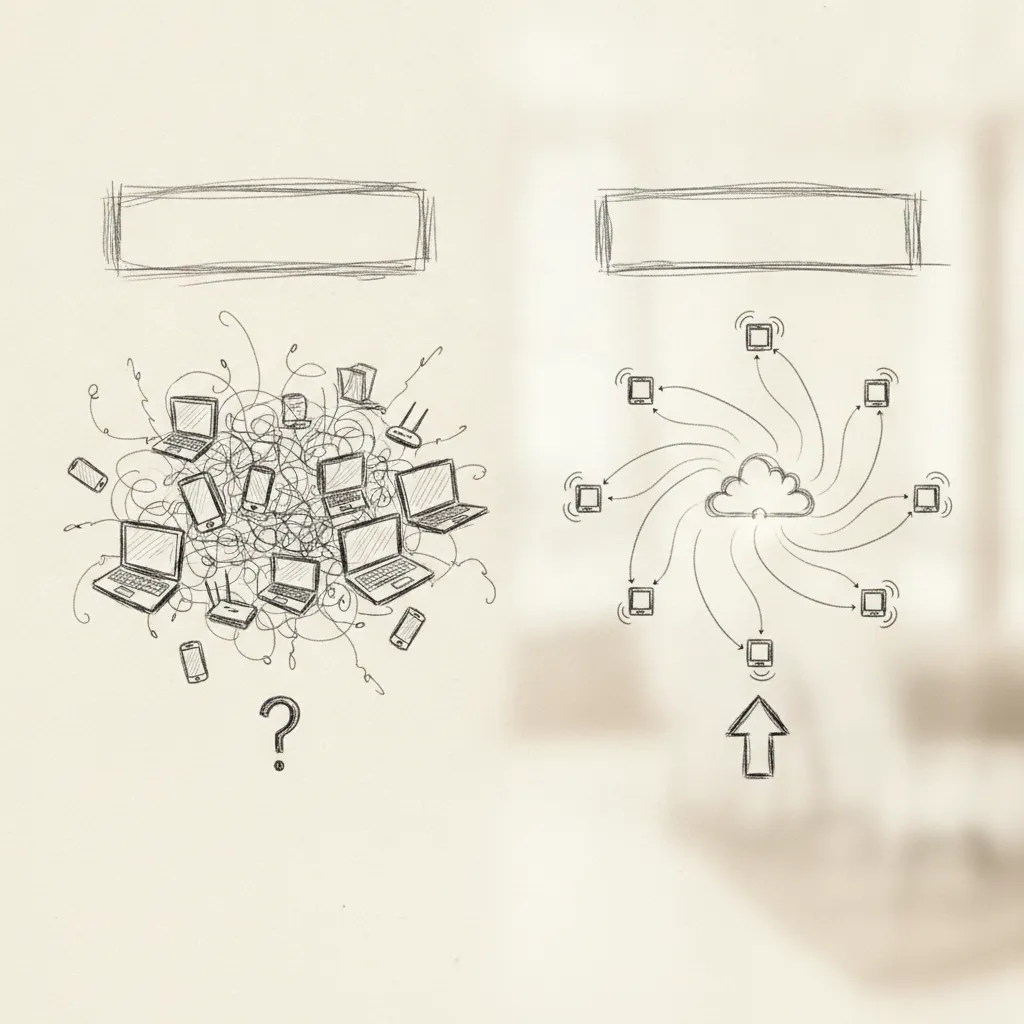
A VPN encrypts traffic between a device and a corporate network; workspace network integration connects the full stack of tools, identity systems, and physical or virtual workspace environments into a single managed architecture. A VPN is one component that workspace network integration may include, but integration also covers directory services, device management, application access policies, and utilization data flows. The two are not interchangeable: a VPN secures a tunnel, while workspace network integration governs how every element of the work environment communicates and operates together.
Yes, workspace network integration is specifically designed to give employees consistent, policy-compliant access whether they are at headquarters, a home office, or a third-party location. Platforms like Upflex extend this further by combining network-level access with AI-powered attendance forecasting and a global on-demand workspace network, so your team gets a reliable work environment regardless of where they log in that day.
DNS configuration determines how quickly and accurately a device resolves the addresses of workspace services, so misconfigured or slow DNS resolvers directly increase session latency and can cause connection failures. Split-DNS setups, where internal hostnames resolve through corporate DNS and public traffic routes externally, are the standard approach for enterprise workspace environments. Incorrect DNS routing is one of the most common causes of degraded virtual desktop and cloud workspace performance.
Minimum bandwidth requirements vary by workspace type, but most enterprise virtual desktop and cloud workspace sessions require at least 1–4 Mbps per user for standard productivity tasks; video-heavy or graphics-intensive sessions demand significantly more. Amazon WorkSpaces, for example, publishes specific port and bandwidth requirements for its client connections [1]. Latency below 100ms round-trip is generally the more critical variable for session quality than raw throughput.
Workspace network integration is not a single technology decision, it is an architectural commitment that determines whether your hybrid workforce gets a consistent, secure experience or a fragmented one. Three things matter most: identity and access management must be unified before anything else; network performance requirements (bandwidth, latency, DNS) need to be validated against real usage patterns, not theoretical specs; and physical workspace access must be treated as part of the same integration layer as your digital tools.
If your organization is managing hybrid attendance across multiple locations, audit your current desk booking and workspace access data against actual network utilization. If those two data sets live in separate systems, that gap is costing you visibility, and likely real estate spend. Start by requesting a utilization report from Upflex to see where your office footprint and your network capacity are misaligned.
Explore more from our content library: