Share This Article
No items found.

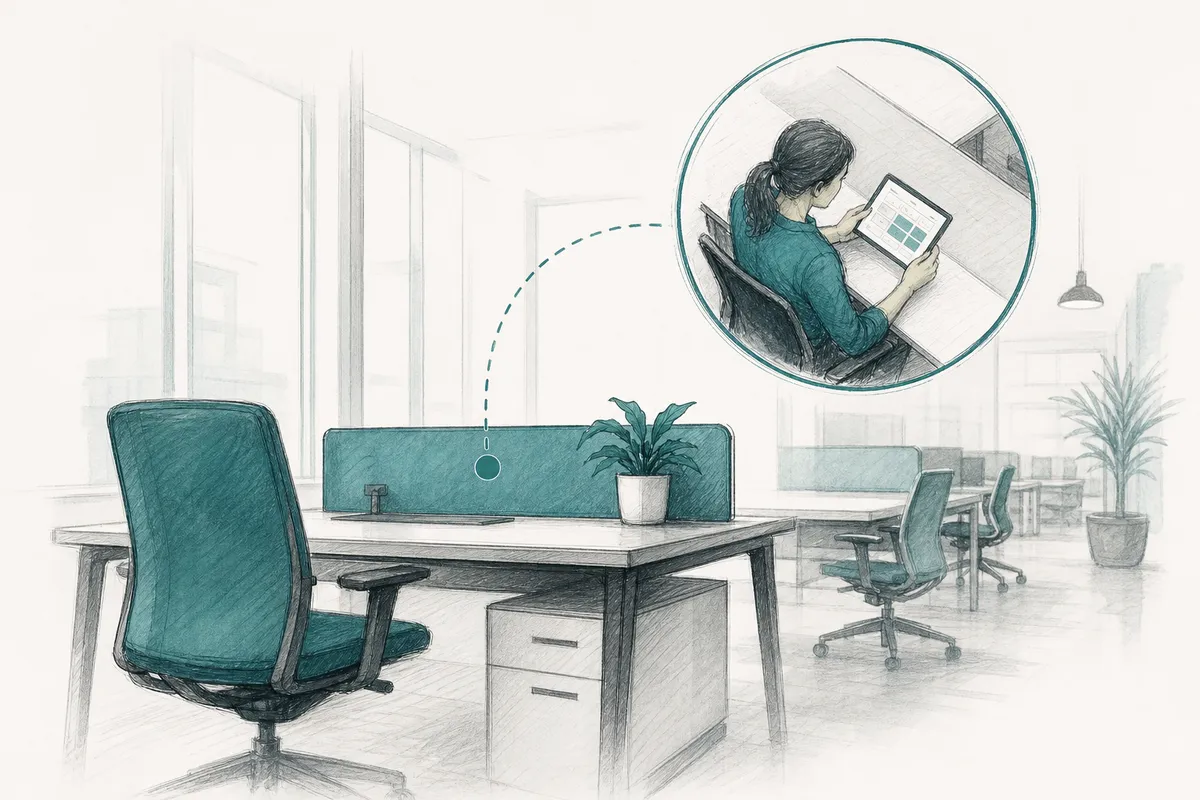
Desk hoteling is a workspace management system where employees reserve a specific desk in advance for a set day or time block, rather than being assigned a permanent seat or grabbing whatever is free on arrival. Reservations are typically made through software or an app, often tied to a floor plan showing desk location, amenities, and availability. The model lets companies shrink their real estate footprint to match actual attendance patterns instead of headcount, while still giving employees certainty about where they'll sit before they leave home.
This approach replaces fixed seating with advance reservations, so a desk is only occupied when someone has actually booked it for that day or time block. Employees log into a booking platform, pick an open desk from a floor plan, and confirm a slot, much like reserving a hotel room for a specific night. That single mechanic separates this system from unmanaged first-come, first-served seating, where desks sit empty or overcrowded because there's no visibility into who's actually coming in. For a deeper breakdown of the mechanics and terminology, see this overview of desk hoteling versus hot desking.
The standard business spelling is "hoteling," with one L, and it's the term used across workplace software, real estate reporting, and industry publications. The word borrows directly from "hotel," reflecting the idea of temporary, reservation-based occupancy rather than a permanent seat assignment. "Hotelling," with two Ls, shows up occasionally as a variant, often from writers applying the British doubling convention seen in words like "traveling" versus "travelling", but it's not the accepted term in corporate real estate or facilities management circles. If you're searching for software, policies, or best practices, "desk hoteling" is the spelling that matches how the industry writes and indexes the concept.
Every booking made through this kind of system generates a data point: who sat where, on what day, for how long. Aggregated over weeks and months, that data shows facilities teams exactly which floors, zones, or desk types go unused on a typical Tuesday versus a typical Friday. Instead of leasing and maintaining enough desks for 100% of headcount, a model built for an office era when everyone showed up five days a week, real estate leaders can size the office to match observed attendance, then cut the surplus. This is the mechanism behind the real estate savings that hybrid-forward companies report: the reduction doesn't come from asking employees to do more with less, it comes from stopping the practice of paying for space nobody sits in.
For employees, the workflow stays simple. They open a floor plan, filter by amenity, a standing desk, a monitor, proximity to their team's zone, and confirm a reservation for the day they plan to come in. On arrival, many systems require a check-in to release no-show desks back into the pool. Because hybrid schedules rarely produce even attendance, this model handles the swings that come with anchor days and team co-location, when Tuesday and Thursday might run near capacity while Monday sits half-empty. A platform like Upflex adds attendance forecasting on top of this booking layer, predicting those swings before they happen so facilities teams plan desk counts around forecasted demand rather than reacting to it after the fact.
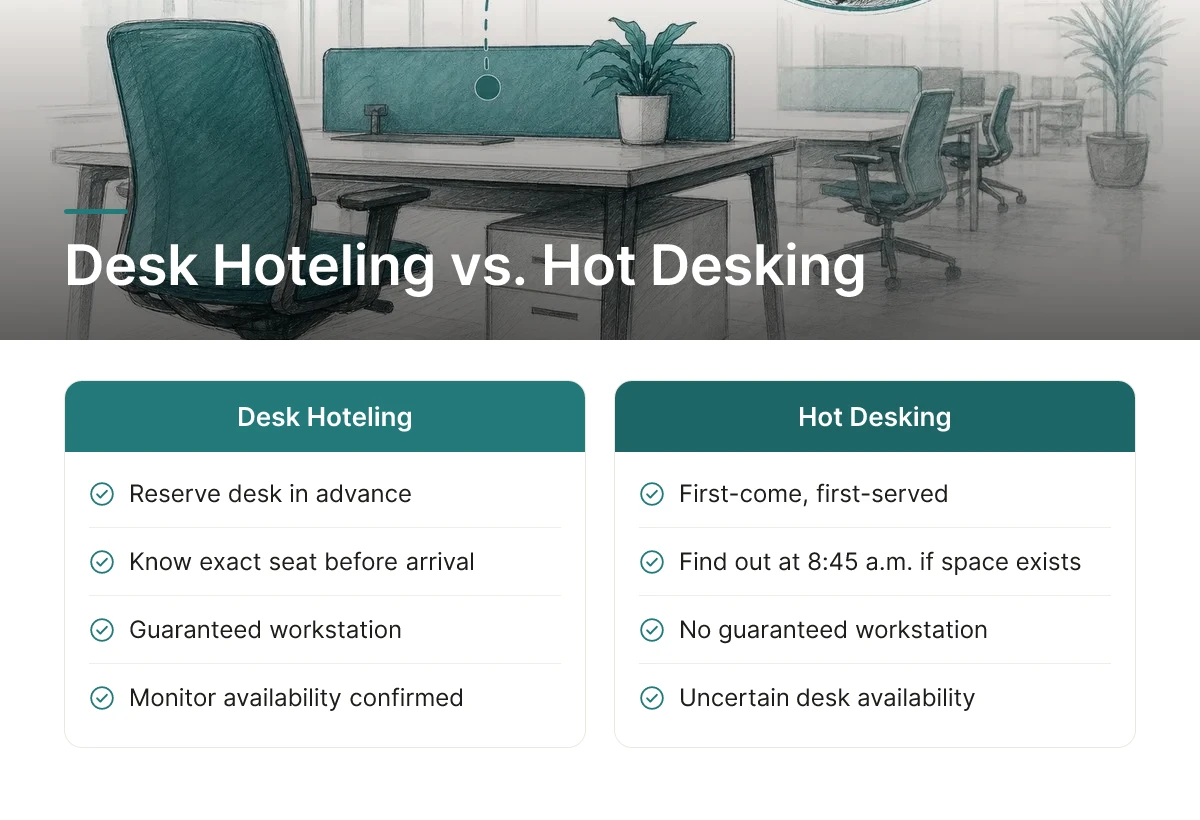
Desk hoteling requires employees to reserve a specific desk in advance; hot desking hands out desks first-come, first-served with no reservation at all [1]. That single difference in booking logic determines whether an employee walks into the office with a guaranteed workstation or gambles on finding one.
The planning implications are not trivial. An employee who books a reservation the night before knows exactly where they will sit, whether a monitor is available, and who's nearby. An employee relying on hot desking has none of that certainty, they find out at 8:45 a.m. whether the office has space at all.
Assigned seating removes the guesswork entirely by giving each employee permanent ownership of one desk, but that ownership comes at a cost. A company running assigned seating typically needs close to one desk per employee regardless of how often people actually show up, which is exactly the ratio that hybrid work has made unaffordable for real estate leaders managing multi-location portfolios. For a closer look at how these models are typically defined and compared, see this overview of desk hoteling software features and benefits.
Activity-based working and reservation-based desk booking solve different problems and work best layered together, not chosen as alternatives.
Activity-based working organizes the office into zones, quiet rooms for focus work, open areas for collaboration, phone booths for calls, without dictating how desks within those zones get allocated. The hoteling model is the booking mechanism that decides who sits where and when. A company can run activity-based zoning on top of a reservation system, letting employees book a focus-zone desk on heads-down days and a collaboration-zone desk on team days.
Each model breaks down under different conditions. Hot desking falls apart when attendance is high and unpredictable, arrival-time roulette turns into real lost productivity once more people show up than there are open desks. Assigned seating fails at the opposite extreme: when average attendance sits well below full capacity, most of that "owned" square footage sits empty every day, which is the core waste hybrid work has exposed in office portfolios.
Three variables point toward the right model: how predictable attendance is, how teams need to coordinate in person, and how much cost pressure real estate leadership is under. Predictable, team-based attendance with real space-cost pressure is exactly the scenario this reservation-based approach was built for, it preserves the reservation certainty of assigned seating while sharing desks across more employees than seats. Upflex pairs that booking layer with UnifyAI attendance forecasting, so the desk-to-employee ratio isn't a guess but a number grounded in projected attendance patterns.
This approach cuts real estate costs by replacing guesswork with booking data, and it cuts lost productivity by giving employees a known seat before they walk in the door.
Both benefits come from the same underlying shift: instead of managing space around assumptions, real estate and workplace teams manage it around what actually happens day to day.
The cost mechanism is straightforward: real-time and historical booking data shows exactly how many desks a team uses on its busiest days, so real estate leaders can size square footage to actual demand instead of budgeting for full headcount that rarely shows up at once. A department with 200 employees but a peak in-office attendance of 120 doesn't need 200 assigned desks, it needs a reservation system that lets those 120 book from a smaller, shared pool.
That gap between provisioned space and actual peak demand is where the savings live. Once a portfolio team can see utilization patterns across floors, buildings, and regions, they gain a basis for consolidating underused offices or renegotiating leases at renewal rather than renewing on autopilot. The scale of the payoff depends on how much idle space existed to begin with, a single fully-utilized floor won't yield much, but a portfolio with several under-occupied buildings can move from budget-friendly adjustments to enterprise-scale reductions once consolidation is on the table. Upflex's utilization data is built specifically to support this kind of portfolio-level decision, pairing booking and forecast history with the option to shift overflow staff into on-demand third-party workspace rather than carrying that square footage year-round.
Reservation-based desk booking removes a small but recurring drag on the workday: the time employees spend hunting for an open desk or a spot near their team. When employees reserve a desk in advance, they arrive already knowing where they're sitting and who's nearby, which matters more in hybrid setups where teammates aren't in the office on the same fixed schedule every day.
Utilization measurement is where these systems earn their keep operationally. Comparing bookings against actual check-ins surfaces two problems finance and workplace teams often can't see otherwise: no-show rates on reserved desks, and zones of the office that stay empty regardless of how full the booking calendar looks. That comparison doesn't require a dashboard full of vanity metrics, it just needs booking and check-in data laid side by side, which is exactly what turns this system from a scheduling convenience into a tool for fixing fluctuating daily attendance and uneven cross-team coordination.
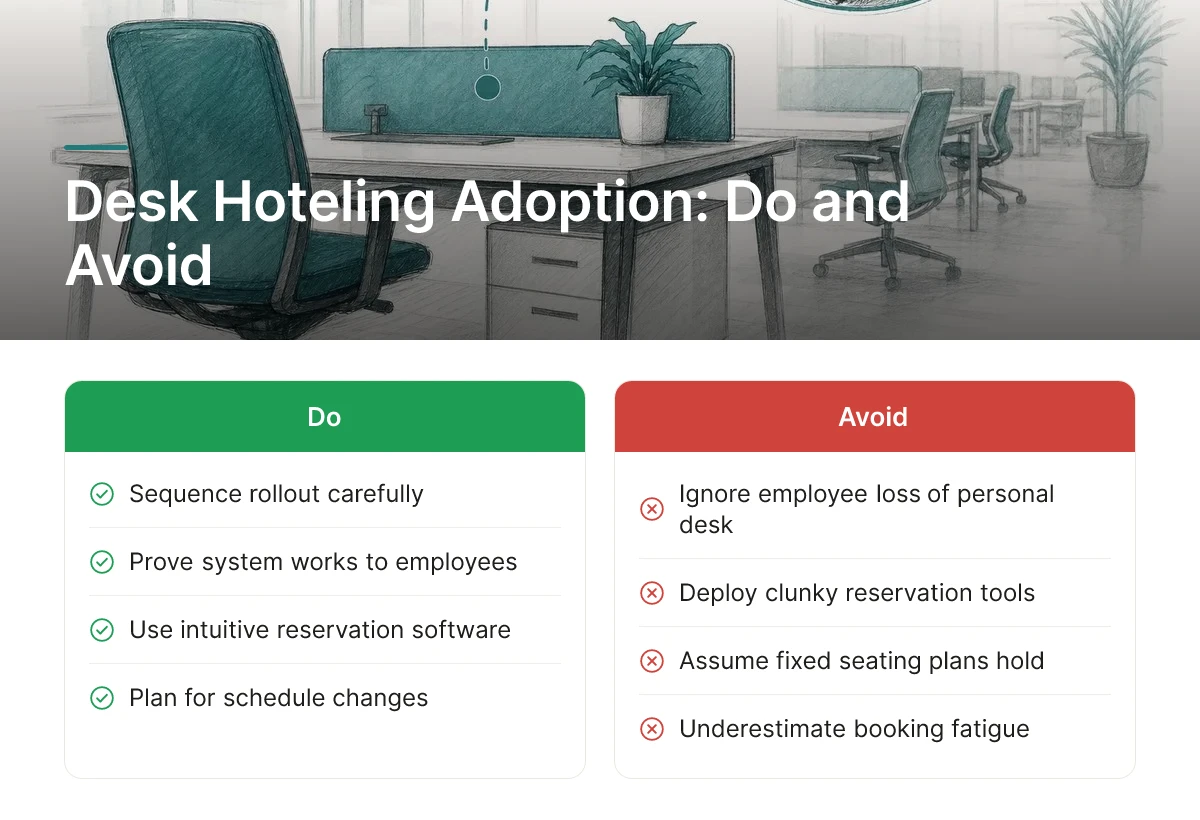
The biggest obstacles are employee resistance to losing a personal desk, booking fatigue from clunky reservation tools, and last-minute schedule changes that break carefully planned seating.
None of these are reasons to avoid this approach, they're reasons to sequence the rollout carefully. Employees who've had an assigned desk for years experience a shared desk pool as a loss, not a convenience, until the system proves it works. Booking fatigue sets in fast when reservation software requires five clicks to grab a desk that might get reassigned anyway. And a team that plans to sit together on Tuesday, only to find half the group has shifted to Thursday, quickly loses faith in the whole system.
Adoption improves when the booking process removes friction rather than adding it. Mobile check-in reminders sent 30 minutes before a reservation cut down on no-shows and confusion about who's actually coming in. A grace-period release, where an unclaimed desk automatically returns to the pool after a set window, typically 15 to 30 minutes, keeps inventory honest without requiring anyone to manually cancel a reservation they forgot about.
Simple interfaces matter more than feature depth. A booking screen that shows available desks on a floor plan and confirms a reservation in two taps beats a system with granular filters nobody uses. Upflex's desk booking and space management tools are built around this principle: employees reserve a desk within their own office environment through the same interface they'd use to check attendance forecasts, reducing the number of separate tools someone has to learn.
Pilot before you scale. Rolling out this system across an entire company on day one guarantees you'll discover every edge case, booking conflicts, equity complaints, badge-in delays, simultaneously and under pressure. Running the pilot on one floor or with one department first lets you gather feedback, fix the booking rules, and adjust desk ratios before wider deployment [1].
Manager buy-in determines whether the transition feels organized or chaotic. When team leads coordinate anchor days, the specific days their group commits to being in-office, employees book near each other instead of scattering across the floor. This preserves the in-person collaboration that justified the office in the first place.
Equity concerns deserve a direct answer, not reassurance. A first-come, first-served free-for-all favors employees who happen to be online at 8:00 a.m. and disadvantages parents, night-shift-adjacent roles, or anyone in a different time zone. Transparent booking rules, fixed windows, capped advance bookings, occasional priority for specific roles, keep the system fair across seniority levels and prevent this model from becoming another perk unevenly distributed across the organization.
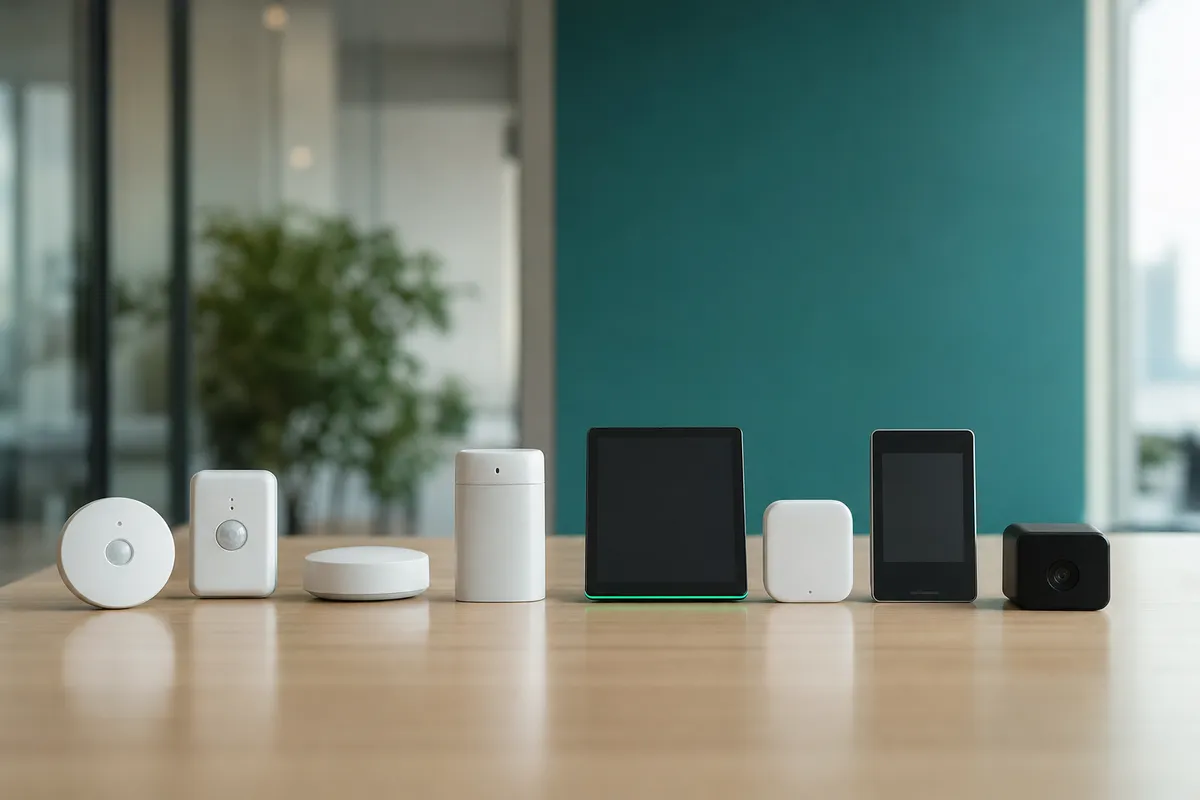
Good software in this category needs four core capabilities: real-time floor plans, mobile check-in, calendar sync, and analytics dashboards tracking utilization over time.
Without these four, you're left with a static booking calendar that tells you who reserved a desk, not whether they actually showed up or how the space performs over a quarter. Real-time floor plans let employees see which desks are open right now, not just which ones are booked on paper. Mobile check-in confirms actual arrival, which is the data point that separates real occupancy from phantom reservations. Calendar sync ties desk booking to the meetings people already have on their schedule, and analytics dashboards turn daily bookings into a trend line your real estate team can act on. This guide to desk booking software features and benefits covers many of these capabilities in more detail.
This kind of software has to plug into systems your company already runs, not force employees to learn a new login or a separate calendar.
That last connection is what turns a booking log into a real utilization dataset instead of a guess.
Requirements shift by industry: healthcare needs compliance-aware zoning and equipment-linked desks, finance needs stricter access control, and tech needs fast self-service booking.
A hospital system administrator can't treat every desk the same, some workstations sit near controlled equipment or require proximity to specific departments, so zoning and equipment links matter more than raw booking speed. Finance and legal teams often need role-based permissions that restrict who can even see certain floors, given the sensitivity of client work happening there. Tech companies, by contrast, tend to run high desk-turnover with engineers booking and rebooking daily, so the priority is frictionless self-service rather than heavy administrative control.
On data handling, role-based permissions should govern who sees what, and booking data should feed facilities planning in aggregate, occupancy by floor, by day, by team, without exposing an individual's minute-by-minute movement patterns. That distinction protects employee privacy while still giving real estate leaders the utilization signal they need.
When evaluating vendors, judge ease of rollout, the support tier offered post-implementation, and whether the platform scales across regions and office types without a rebuild. Upflex pairs this evaluation logic with UnifyAI attendance forecasting and desk booking inside one dashboard, so the operational checkpoints above connect directly to portfolio-level decisions about which offices to keep, shrink, or consolidate.
No, desk hoteling and hot desking both involve shared desks, but hoteling requires a reservation while hot desking is first-come, first-served [1]. Hot desking works for small, predictable teams; hoteling scales better for larger hybrid organizations because it gives employees certainty about where they'll sit and lets facilities teams forecast which floors or zones will actually be used.
Yes, in most systems employees reserve a desk each time they plan to come in, typically through a booking app or calendar integration. Some organizations simplify this with recurring bookings for employees who follow a consistent in-office schedule, reducing daily admin work.
Desk hoteling can work for fully in-office teams, but its cost and utilization benefits are strongest in hybrid environments. When most employees are onsite five days a week, desk-to-employee ratios stay close to 1:1, leaving little room for the space savings this model is designed to capture.
Most organizations allow bookings anywhere from a few hours to two weeks ahead, depending on how predictable attendance is. Teams with volatile schedules tend to favor shorter booking windows, while departments with fixed in-office days often book on a recurring weekly basis.
Most platforms release unclaimed reservations after a grace period, typically 15 to 30 minutes, so the desk becomes available to walk-in employees. Tracking no-show rates also helps facilities teams identify booking patterns that don't match actual attendance, which sharpens future space planning.
Desk hoteling only pays off when reservation data turns into real estate decisions. That means tracking utilization by floor and team, setting desk-to-employee ratios based on actual attendance rather than headcount, and pairing booking software with forecasting so facilities teams can plan weeks ahead instead of reacting daily.
Platforms like Upflex extend this further by combining attendance forecasting with access to an on-demand workspace network, so hoteling decisions account for employees working outside the primary office too. Start by pulling three months of badge or booking data and calculating your current desk-to-employee ratio before setting a hoteling target.
Explore more from our content library: