Share This Article
No items found.


Understanding how to track workplace occupancy is essential. You track workplace occupancy by pulling badge swipe and access control log data into a central system, timestamping each entry and exit by location, then overlaying it with floor plans and desk or room capacity to calculate real-time and historical utilization rates. This turns raw security data into a measure of how much space you actually need, letting you compare booked versus actual attendance and resize your real estate footprint around true usage rather than headcount on paper. Most teams layer in sensors or Wi-Fi data later for room-level precision, but badge data alone is usually enough to start identifying underused floors or buildings within the first reporting cycle.
Before pulling a single badge record, line up three data sources, two teams, and one named owner, skipping this setup is the most common reason occupancy projects stall.
Figuring out how to track workplace occupancy starts with assembling the right inputs, not choosing software. You need three things in hand before any analysis is useful:
Badge logs live in access control or security systems, not in HR or IT service platforms, which means the security team usually owns the export and the IT team owns the integration. Loop both in early. Landlord-managed buildings add another wrinkle: multi-tenant properties often require a data-sharing agreement before badge exports are even possible [3]. Waiting until the analysis phase to request access adds weeks to the timeline.
Scope the project correctly before stakeholders start asking questions. This exercise measures space utilization, how much of the office is used, by floor and by day, not where any individual employee is at a given moment. That distinction matters for two reasons: it keeps the project aligned with real estate and facilities decisions rather than performance monitoring, and it heads off the privacy concerns that come up whenever "tracking" and "employees" appear in the same sentence [1].
It also helps to separate occupancy data from booking or check-in data going in. Desk booking and check-in systems capture intent, what someone planned to use. Badge data captures what actually happened [3]. Neither is complete alone: badges don't say which desk someone sat at, and bookings don't confirm anyone showed up. The gap between booked and actual attendance is a metric in its own right, and it's often where the first real savings opportunity shows up.
Last, agree on a reporting cadence and a single owner before pulling any data. A weekly cadence suits teams piloting changes; monthly suits long-range real estate decisions. Platforms like Upflex consolidate badge exports, floor plans, and headcount data into one dashboard, which simplifies this handoff considerably once the groundwork above is in place.
Badge swipe data turns existing access control logs into an occupancy metric by exporting entry/exit events, normalizing them by location, and calculating dwell time per zone. Most corporate real estate teams already have this infrastructure in place, the work is in cleaning and structuring the data, not collecting it.
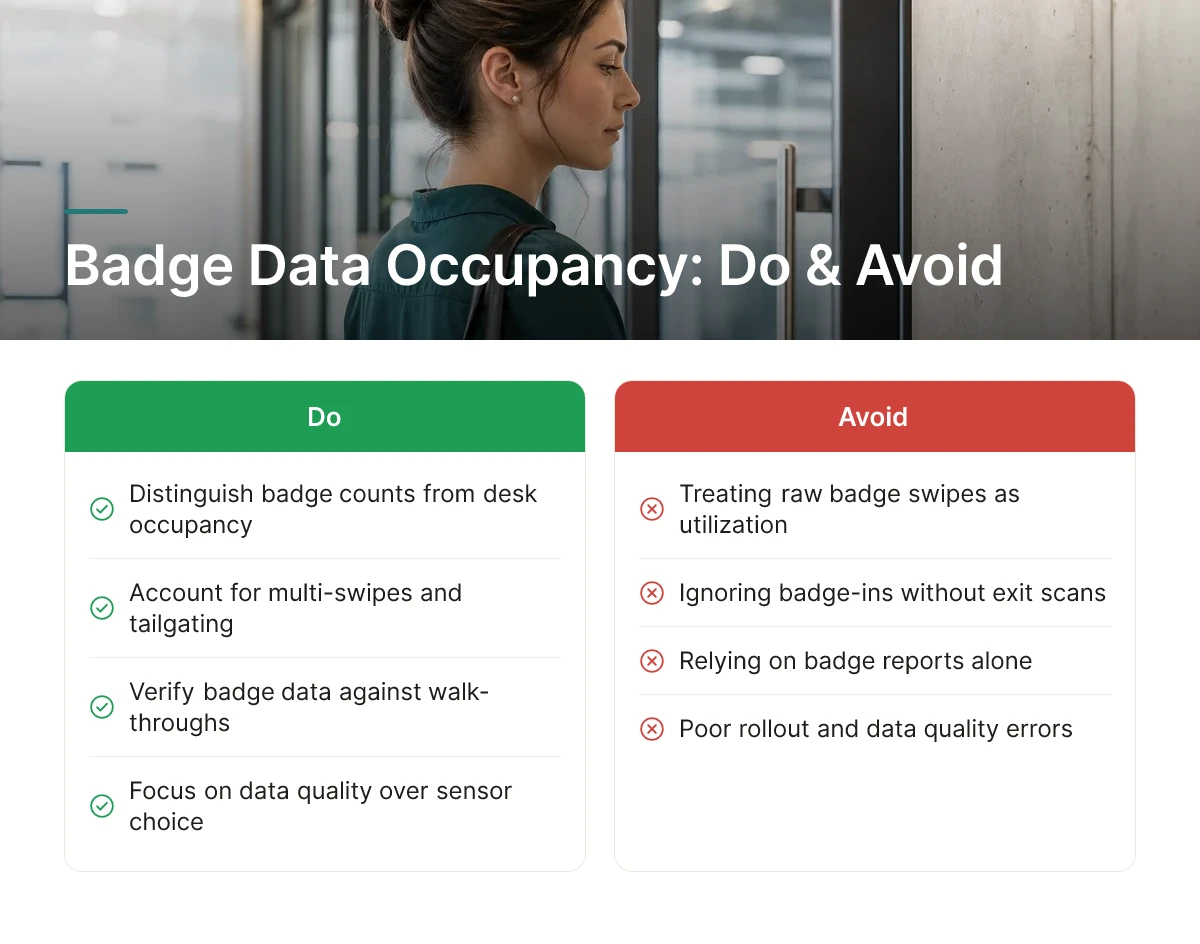
Raw badge counts distort easily. People tailgate through doors behind a colleague without swiping, and many buildings log entry but not exit, leaving one-sided records that inflate headcount estimates [3]. A simple fix: apply a time-decay rule that treats anyone without a logged exit as having left after a set window (commonly end-of-business-day), and discount tailgating by cross-checking swipe volume against reasonable door-traffic patterns. This won't catch every anomaly, but it removes most of the noise that otherwise makes badge data look busier than the floor actually is [5].
Badge data sits at the budget-friendly end because it reuses access control infrastructure you've already paid for, no new hardware, no installation project. PIR sensors and LiDAR cost more to install but deliver room-level precision, counting actual bodies in a space rather than inferring presence from a door event [4]. CO2 sensors fall in the mid-range, useful for estimating density in enclosed rooms but slower to respond to quick in-and-out traffic. Wi-Fi triangulation sits between badge data and dedicated sensors on cost, but accuracy depends heavily on device density and network configuration [1][4]. None of these methods is complete on its own, the 2024 smart building market, valued near $24.66 billion, was driven in large part by combining sensor types to offset each one's blind spots [4].
Badge data confirms who actually showed up; booking and check-in data reveals how accurately teams planned to be there. Neither alone gives corporate real estate leaders the full picture, a desk can be booked and never occupied, or occupied without ever being booked. Upflex addresses this gap by pairing its desk booking workflows with UnifyAI attendance forecasting, which predicts office attendance with 97% accuracy, so planning data and actual presence data reconcile in one dashboard instead of two disconnected systems.
A worked example: if a 200-seat floor logs 140 unique badge-ins on Monday, 160 on Tuesday, and lower counts Wednesday through Friday, averaging those five daily totals against the 200-seat capacity yields your weekly utilization rate, a number finance and real estate leaders can act on directly when evaluating lease renewals or consolidation.

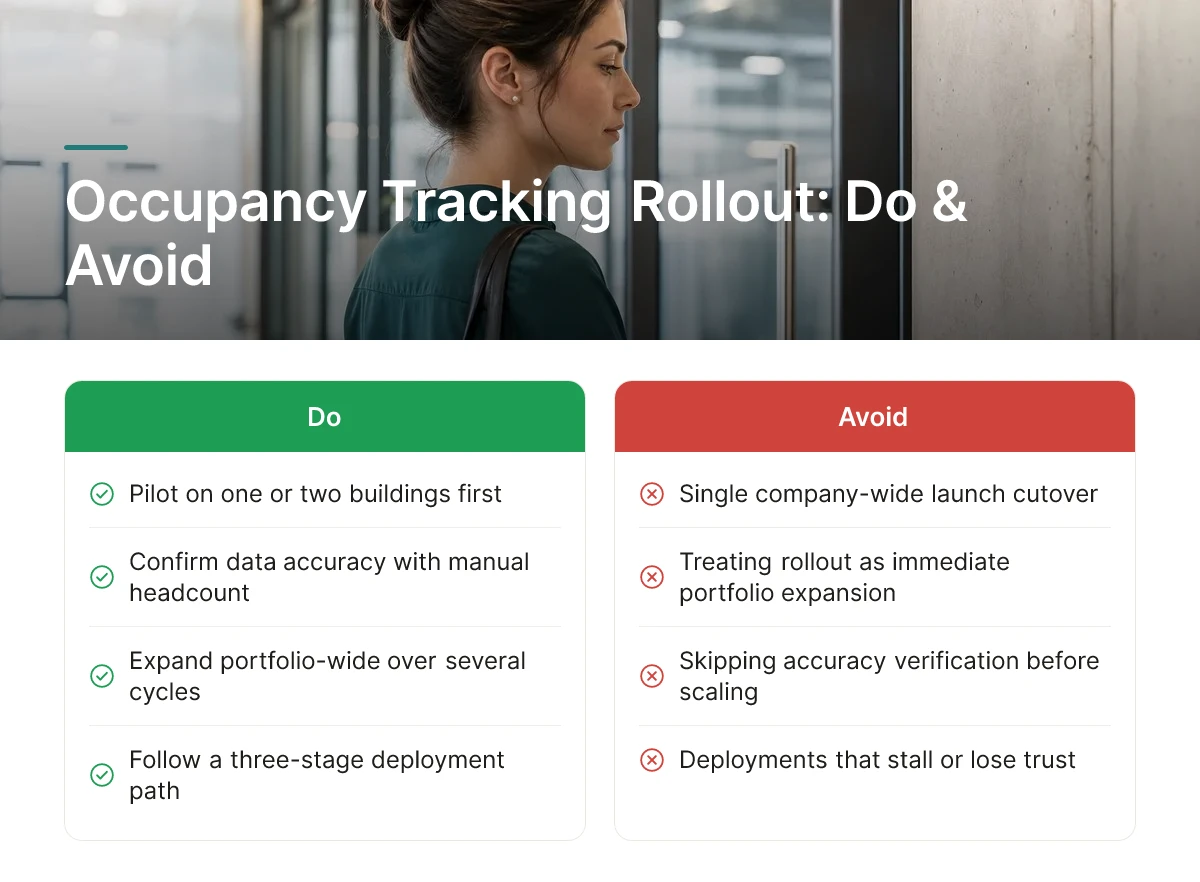
Roll out occupancy tracking in phases: pilot on one or two buildings, confirm the data is accurate, then expand portfolio-wide over several reporting cycles. Treating this as a single company-wide launch, rather than a staged rollout, is the most common reason deployments stall or produce numbers nobody trusts.
Most teams that get this right follow a three-stage path rather than a single cutover.
Platforms like Upflex support this staged approach by layering AI-based attendance forecasting on top of whatever badge or booking data you already collect, so the rollout plan for how to track workplace occupancy can expand site by site without re-architecting the data pipeline each time.
Occupancy tracking and policies like hot-desking or activity-based working (ABW) answer different questions, and neither replaces the other. Tracking tells you how much space you actually need; hot-desking and ABW are decisions about how to organize the space you decide to keep [2].
A building with low average utilization might still need hot-desking to handle its Tuesday peak. A floor with high attendance might need more quiet rooms, not fewer desks. Space planning without this kind of usage data is close to guesswork [1], you can set a hot-desking ratio, but you're choosing it blind without occupancy numbers behind it. For more information, see Ai Search Rankings 11 Tools To Track Your Visibility.
Turn the baseline measurement into an actual decision by comparing utilization before and after a change. If a floor consistently runs below 50% capacity across the full baseline period, that's a case for consolidating it or subletting the space. If private offices sit empty most of the week while meeting rooms are booked solid, converting those offices into collaboration space addresses a mismatch the data has already surfaced.
Don't stop at the decision. Re-measure occupancy for several weeks after any space change, a consolidation, a desk ratio change, a floor conversion, to confirm it had the intended effect rather than assuming it did. Skipping this step is how organizations end up repeating the same square-footage mistakes a year later, because nobody closed the loop on whether the first fix actually worked.
Build the ROI case as a payback-period exercise: weigh what you spend on occupancy tools against the leased or owned square footage you can avoid paying for once utilization data proves it is underused. A system that costs a mid-range annual subscription pays for itself quickly if it helps you release one underused floor; the math changes entirely if your portfolio is already lean.
Part of learning how to track workplace occupancy well is accepting that the value shows up over months, not days. Badge data, desk sensors, or booking logs need several weeks of clean collection before utilization patterns separate from noise, a single quiet Friday before a holiday shouldn't drive a lease decision. Once you have a stable baseline, compare the ongoing cost of the monitoring tier you chose against the avoided cost of carrying space nobody uses.
Translate raw occupancy numbers into three levers that finance and corporate real estate teams actually act on: utilization rate trends over time, consolidation opportunities by floor or building, and lease renewal timing. A utilization trend that shows a floor running well below its design capacity for consecutive months builds the case to consolidate before, not after, a renewal date locks you in for several more years. Upflex supports this handoff directly, its real estate portfolio optimization features turn attendance and desk-use data into the kind of utilization reporting that has helped organizations document real estate spend reductions of 40%+ when downsizing or consolidating offices.
GDPR, CCPA, and similar regimes require that badge-based occupancy tracking stay scoped to aggregate space utilization, not individual movement, through anonymization, aggregation thresholds, and defined retention limits. A report that shows "62% of desks on floor 3 occupied between 10 a.m. and 2 p.m." is defensible; a report that shows when a named employee badged in and out each day is a different category of data with different legal obligations [5]. Security badge systems were built to control building access, not to measure workspace utilization, and using the same raw swipe logs for both purposes without controls creates exposure [5]. Tracking space utilization and tracking employee location or performance are not the same activity, and conflating them creates both legal risk and a trust problem with staff. Occupancy data should answer "is this floor over- or under-used," not "where is this person right now" or "how long did they stay at their desk", the latter questions push into employee monitoring territory that invites scrutiny from works councils, unions, and privacy regulators even when the intent was simply space planning [4].
Most occupancy programs fail from data quality errors and poor rollout, not from choosing the wrong sensor. Knowing how to track workplace occupancy correctly means avoiding five mistakes that show up again and again in corporate real estate projects.
A badge count tells you how many credentials entered a building, not how many desks are occupied or for how long. Multi-swipe days, tailgating, and badge-ins that aren't followed by an exit scan all inflate the number [3]. One commonly cited failure mode: a floor reads as 85% occupied on a badge report while a walk-through shows it nearly empty [5]. Fix this by counting unique people per day rather than raw swipe events, and pair badge data with desk or room check-ins to confirm actual use [3].
A single week of data, especially one that includes a holiday, an all-hands event, or a weather disruption, will misrepresent normal attendance patterns. Space decisions, including consolidation or lease renewals, should draw on several weeks or months of data that capture the normal swing between a packed Tuesday and a quiet Friday [2].
Silent deployment erodes trust even when the data collected is aggregate and anonymized. Employees who don't know what's being tracked, or why, tend to assume the worst, including individual performance monitoring. Share the purpose, the data points collected, and what will and won't be used for individual evaluation before activating any system.
Badge data alone has structural blind spots: tailgating, remote or landlord-controlled badge systems that don't share exports, and no visibility into which desk or room someone actually used [3]. Wi-Fi analytics and badge logs face similar gaps around device-only tracking and short "badge coffee" visits [4]. Combine badge data with booking records or periodic spot sensor checks to confirm what the primary signal is missing.
Running a legal and compliance review after deployment, rather than during system design, invites the kind of pushback that can stall or unwind a whole program. Build privacy review into the project plan from day one, covering data retention, anonymization, and employee notice, the same way Upflex's UnifyAI forecasting is designed around aggregate, portfolio-level attendance patterns rather than individual surveillance.
It can, but it doesn't have to. Badge swipes and desk check-ins are tied to individual credentials, so the raw data identifies who entered and when. Most organizations aggregate this into team- or floor-level utilization rates before reporting it, and policies should define retention limits and access controls to address privacy concerns [1] before rollout.
Collect at least 8 to 12 weeks of data, spanning normal weeks, holidays, and any hybrid policy changes. Shorter windows get skewed by one-off events like all-hands meetings or weather closures. Longer baselines also reveal day-of-week patterns, which matter more than single-day snapshots for consolidation or lease decisions.
No, badge data confirms building entry but misses desk-level and room-level usage. It can't account for tailgating, exits that never get logged, or "badge coffee," where someone swipes in and leaves shortly after [5]. Pairing badge data with desk check-ins, sensors, or Wi-Fi analytics closes these gaps and gives a more accurate utilization picture [4].
No, they measure different things. Booking systems show intent, who reserved a desk or room, while occupancy tracking shows actual usage through badge, sensor, or network data. Comparing the two reveals no-show rates and ghost bookings that booking data alone can't expose [2].
Accurate occupancy tracking starts with combining data sources, badge swipes for building-level attendance, desk or room sensors for actual usage, and booking systems to catch no-shows, rather than relying on any single feed. Treat badge data as a starting point, not a verdict, especially before a lease renewal or consolidation decision. Build at least a two-month baseline before acting on the numbers.
Platforms like Upflex combine this utilization data with AI-driven attendance forecasting, built on UnifyAI, to turn raw occupancy numbers into portfolio decisions rather than static reports. As a next step, pull your last 90 days of badge or booking data and compare it against your current floor capacity to find your real utilization rate.
Explore more from our content library: