Share This Article
No items found.

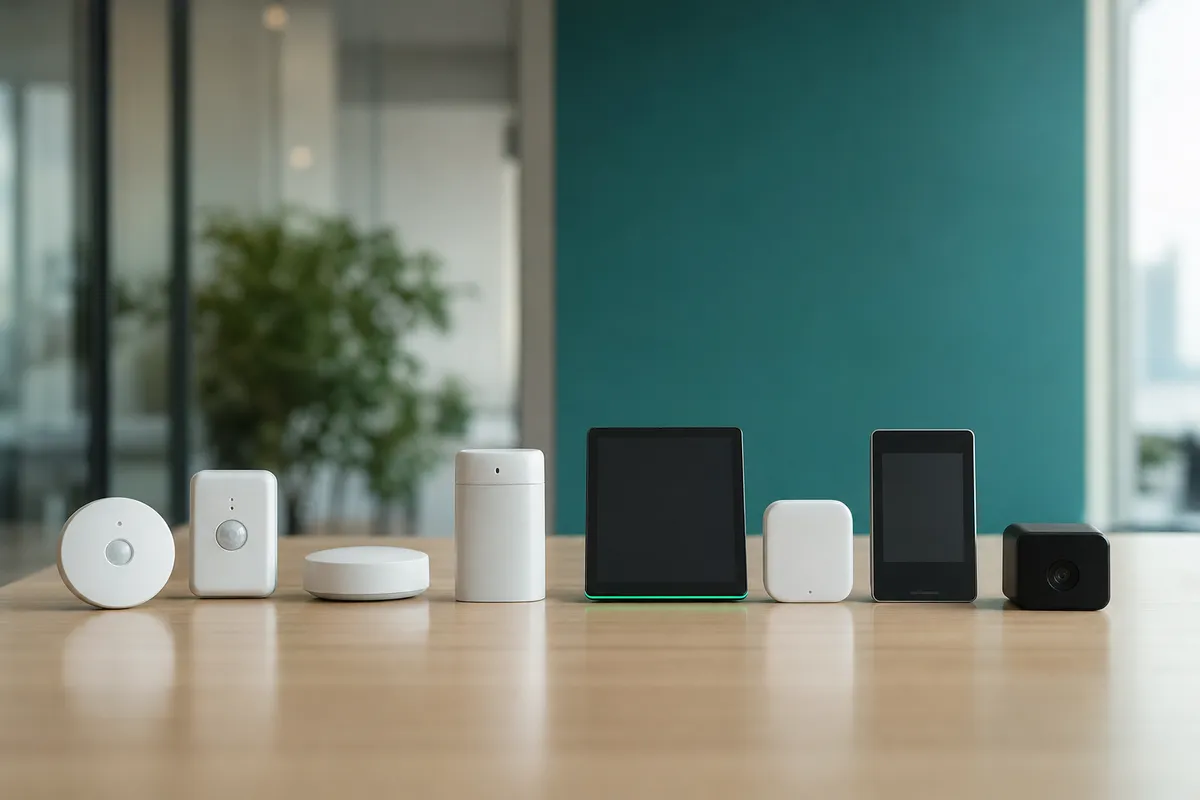
The right office space optimization tools combine real-time occupancy sensors, desk and room booking software, and AI-driven forecasting to match available space to actual hybrid attendance patterns. This cuts wasted real estate spend, gives facilities teams data to right-size their portfolio, and gives employees confidence that a desk or meeting room will be available when they come in. The strongest platforms connect this data to HR systems and on-demand workspace networks so companies can shrink owned square footage without shrinking flexibility.
We compare each tool on four criteria: utilization data accuracy, integration depth with HRIS and facilities systems, scalability across company sizes, and support for on-demand or hybrid work.
These criteria matter because the category spans very different technologies. Occupancy sensors, booking software, AI forecasting engines, and flexible workspace networks all claim to solve "office space optimization," but they measure and act on different data. A side-by-side view keeps readers from comparing a large sensor deployment to a lightweight booking app as if they solved the same problem. For a broader market scan beyond this list, this comparison of space optimization software options is a useful reference point.
Each tool below gets evaluated on what it does best and who it suits, not a generic feature checklist. That means we call out where a tool is strong, where it falls short, and what kind of company should actually buy it.
No single platform fits every organization. A 200-person regional office and a 10,000-person global enterprise with a patchwork of leases need fundamentally different office space optimization tools, and the rest of this list reflects that divide.
At a glance, the nine categories of office space optimization tools covered below are:
Occupancy sensors use infrared or weight-detection hardware to capture real-time desk and room usage without relying on employee input.
The mechanism is straightforward: sensors mounted under desks or in ceiling fixtures feed a central dashboard that shows live and historical occupancy by floor, zone, or individual desk. Because the data comes from physical presence detection rather than badge swipes or self-reported check-ins, it removes much of the guesswork that plagues manual utilization audits [1].
This category suits large offices with high headcount, where walking the floor to count empty desks would take days and still miss patterns that only show up over weeks of data [4].
The detail most vendors skip: sensor density per zone determines whether the data is trustworthy. Too few sensors in a large open-plan area create blind spots, desks near the edge of a sensor's range get miscounted, and utilization reports end up skewed in ways that are hard to catch after the fact. Facilities teams evaluating this category should ask vendors for sensor-to-desk ratios by zone type, not just headline accuracy claims.
Booking software lets employees reserve desks, rooms, and shared resources in advance through a calendar-style interface tied to a floor plan.
The core function is reservation management: employees pick a desk or room, often within a team zone designed to keep collaborators seated near each other, and the system locks that spot for the day. The key benefit is preventing double-booking and giving facilities teams advance visibility into who plans to show up, which is useful for staffing cafeterias, cleaning schedules, and meeting room allocation [2].
This fits mid-size teams moving into hybrid schedules that need predictability but aren't ready to invest in full AI-driven forecasting.
The gap booking software doesn't close on its own: a reservation shows intent to attend, not actual attendance. Employees book a desk and then work from home, or skip the booking and show up anyway. Pairing booking data with occupancy sensors or forecasting tools is the only way to see the real difference between planned and actual office usage.
AI forecasting tools predict who will come to the office, and when, by analyzing historical attendance patterns, calendars, and booking data together.
Manual tracking and simple booking systems show what's scheduled; they can't detect patterns across team cycles, holidays, or project deadlines that shift attendance week to week. AI models trained on this history can flag that a specific team tends to cluster its in-office days around sprint reviews, or that attendance drops predictably the week after a public holiday, patterns a spreadsheet won't surface.
It pulls from multiple data sources simultaneously, badge data, calendar invites, booking history, rather than relying on one signal, which is exactly how Upflex's UnifyAI engine reaches 97% attendance forecast accuracy. The benefit is a shift from reactive to proactive planning: facilities teams right-size floors ahead of demand instead of scrambling after a half-empty or overcrowded week.
This category suits companies running multiple sites or inconsistent hybrid schedules, where manual tracking breaks down once the number of variables grows past what a spreadsheet can hold [3].
The differentiator is data breadth: forecasting accuracy depends directly on how many sources feed the model. Tools built on a single input, like badge data alone, consistently underperform platforms that combine badge, calendar, and booking signals.
On-demand workspace networks give employees access to third-party coworking spaces and meeting rooms near where they live, instead of a central office.
The mechanism is simple: an employee opens the platform, finds a workspace close to home or a client meeting, and books it the same way they'd book a desk at headquarters. The key benefit is that companies can shrink their owned real estate footprint while still giving remote and hybrid employees a professional place to work, rather than asking them to take calls from a kitchen table or commute an hour for a desk they'll use twice a week.
This fits distributed teams, companies that have already downsized headquarters, or organizations exiting long leases and needing a bridge for employees who no longer have a default office. Upflex addresses this directly by combining desk booking and attendance forecasting for owned offices with access to the world's largest on-demand workspace network, letting real estate leaders treat owned and flexible space as one managed portfolio rather than two disconnected systems.
The differentiator that matters here isn't the booking interface, most networks look similar on that front. It's coverage density and quality control across locations. A network with thin coverage in the cities where your employees actually live, or inconsistent quality between locations, defeats the purpose no matter how polished the app is.
These platforms centralize floor plans, lease data, and department-level space allocation in one system, replacing scattered spreadsheets and static CAD files.
A facilities management platform tracks square footage by building, floor, and team, and ties that data to lease terms and renewal dates. Real estate and facilities leaders use it as a single source of truth for cost per seat and allocation by department, which matters when finance asks for a breakdown of spend by business unit rather than a building-wide total.
This category fits enterprises managing multiple buildings or a large, multi-market real estate portfolio, where a single misallocated floor can represent a significant line item. Archibus and Planon fall into this tier, built for comprehensive portfolio analytics and compliance reporting but often requiring longer implementation timelines [3].
The differentiator worth prioritizing: platforms that let you simulate space changes, reconfiguring a floor, consolidating two departments, testing a new seating ratio, before committing budget. Reporting on current layout is table stakes; modeling the next layout before you sign a contractor is what separates planning-native office space optimization tools from static record-keeping systems [3].
These apps show teammates' planned office days and suggest overlap dates, so coming in actually means working alongside your team.
The mechanism is straightforward: employees log or share their intended in-office days, and the app surfaces which colleagues will also be present, then nudges individuals toward days with higher planned overlap. This directly addresses the most common hybrid complaint, showing up to a half-empty floor because nobody coordinated [2].
This category suits companies prioritizing culture and in-person collaboration over pure square-footage reduction. A team that has already right-sized its real estate but still struggles with weak in-office energy will get more value here than from another booking tool.
Utilization data and employee experience reinforce each other: when teams coordinate their in-office days well, utilization rises naturally and the office feels worth the commute, rather than utilization being forced through mandates [1]. The best office space optimization tools in this category tie coordination directly into booking and attendance forecasting data, rather than operating as a standalone calendar overlay disconnected from actual desk availability. Upflex builds this connection through its UnifyAI engine, which forecasts attendance with 97% accuracy and has driven 88% co-attendance achievement among teams using it to align in-office days.
These integration layers sync space platforms with HRIS systems so headcount, team structure, and allocation data stay current automatically.
Without a live connection to HR systems, utilization reports go stale fast. Someone joins a team, transfers departments, or leaves the company, and the space allocation model keeps assuming the old structure until someone manually corrects it, which, in practice, rarely happens on schedule [4].
The benefit is accuracy without administrative overhead: when HRIS data updates, space allocation and reporting update with it. This matters most for companies with frequent headcount changes, seasonal hiring, or multiple HR systems across regions, where manual reconciliation becomes a part-time job for someone on the facilities team.
Connection happens either through native, pre-built integrations with common HR platforms or through custom API work that a company's IT team has to build and maintain. That distinction drives deployment timeline more than almost any other factor, native integrations can go live in weeks, while custom API builds often stretch into months and require ongoing engineering support to keep working as HR systems update their own APIs. When evaluating office space optimization tools, ask vendors for a list of pre-built HRIS connectors before assuming integration is a given.
These dashboards turn sensor, badge, and booking data into occupancy and cost metrics that justify real estate decisions to finance.
The mechanism pulls data from multiple inputs, occupancy sensors, badge swipes, desk bookings, and aggregates them into metrics like average daily occupancy, peak usage by day of week, and cost per seat. That combination matters because any single data source alone tends to overstate or understate actual use [4].
The benefit for real estate and finance leaders is evidence, not opinion: a dashboard showing a floor running at 30-50% utilization across a quarter gives a concrete basis for downsizing or renegotiating a lease rather than relying on anecdote [4]. This category is built for companies actively constructing a business case for space changes ahead of a lease renewal or board review.
Average daily occupancy, peak-day usage, and cost per seat matter most, but only if they can be segmented rather than reported as one building-wide average. The most useful dashboards let you break data down by team, floor, and day of week, since a building averaging 55% occupancy might hide one floor running near capacity on Tuesdays and another sitting empty all week [5]. That segmentation is what turns a dashboard from a reporting exercise into a planning tool.
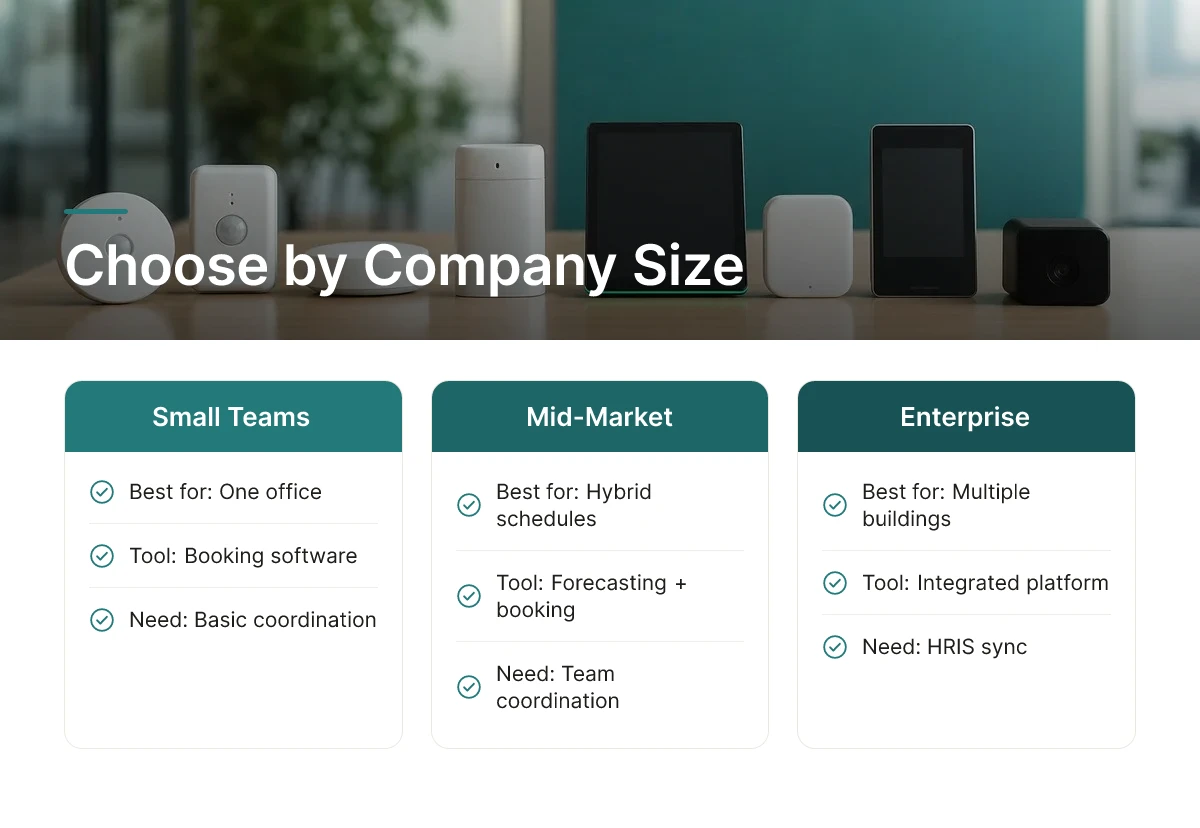
Match tool category to company size and structure: small teams need booking software, mid-market needs forecasting plus booking, enterprises need integrated platforms with HRIS sync.
A 50-person company with one office rarely needs portfolio-wide analytics; a simple booking tool solves most of its problems. A mid-market company managing hybrid schedules across a few hundred employees benefits from adding attendance forecasting to booking, so teams coordinate in-office days instead of guessing. A global enterprise managing multiple buildings and frequent headcount change needs an integrated platform that syncs booking, forecasting, real estate analytics, and HRIS data into one system, which is the gap Upflex is built to close, combining 97% accurate attendance forecasting with desk booking and access to an on-demand workspace network, all feeding one view of real estate usage.
Before shortlisting vendors, it helps to map requirements against company stage:
Point solutions deploy faster but create data silos; integrated platforms take longer to roll out but give one source of truth across booking, forecasting, and real estate reporting. A standalone booking app can launch in days, but it won't tell finance anything about cost per seat or lease decisions. Deployment complexity also varies by data source: sensor-based tools require physical installation and longer lead times, while software-only platforms using badge or booking data can often launch within weeks.
Start by auditing current utilization, then define specific goals, cost reduction, co-attendance improvement, or both. Pilot the chosen tool with one floor or team before a full rollout, and scale based on what the pilot data actually shows rather than assumptions made at the outset. Evaluate pricing on a budget-friendly to premium tier basis against projected real estate savings, not against the lowest sticker price alone, a premium platform that documents strong real estate savings pays for itself faster than a cheaper tool that never gets fully adopted.
These tools fix the gap between what you pay for office space and what employees actually use day to day. They replace guesswork with occupancy data, so real estate leaders can answer specific questions: which floors sit empty on Mondays, which teams never hit co-attendance targets, and which leases are safe to cut. Without this data, consolidation decisions default to assumption rather than evidence.
Most enterprise deployments take between six and twelve weeks, depending on how many sites and integrations are involved. Desk-booking and forecasting modules typically go live first, often within two to four weeks, while sensor-based occupancy tracking and full portfolio rollouts across multiple regions take longer. Platforms that skip hardware installation, relying instead on calendar and badge data, tend to launch faster.
Prioritize compatibility with your calendar system, HR platform, and any existing badge or occupancy sensors before signing a contract. Most hybrid teams run on Microsoft 365 or Google Workspace, so native connectors matter more than generic APIs. Also check whether the tool can pull data from a legacy IWMS like Archibus or Planon without a separate migration project [4].
Companies track square footage reduced, lease costs avoided, and the gap between booked versus actual desk usage over time. Utilization rate, actual occupancy against available capacity, is the core metric, often benchmarked monthly before and after consolidation [4]. Co-attendance achievement, or whether teams actually show up together on planned days, is a second measure finance and HR leaders both watch.
A working checklist covers occupancy data collection, desk and room booking rules, attendance forecasting, integration with calendar and HR systems, and a defined review cadence. Most teams also add a lease decision trigger, so utilization data feeds directly into renewal or consolidation timelines rather than sitting in a dashboard unused.
Free or low-cost tools can work for very small teams that only need basic desk booking, but they typically lack occupancy sensor integration, HRIS sync, and forecasting. Most organizations outgrow them quickly once hybrid schedules get more complex. Treat free office space optimization tools as a starting point for testing requirements, not as a long-term replacement for an integrated platform.
Cutting real estate costs without damaging the in-office experience depends on three things: accurate attendance data, booking systems employees actually use, and flexible capacity for the days your own office can't absorb everyone. Tools that handle only one of these, booking without forecasting, or analytics without a flex-space fallback, leave leaders guessing at the next lease decision. Upflex combines UnifyAI's 97% attendance forecasting with desk booking and access to a global on-demand workspace network, giving real estate and HR leaders one dataset to make portfolio calls from. Before your next lease renewal, pull 90 days of badge or booking data and compare it against your current footprint, the gap usually makes the case for action on its own.
Explore more from our content library: