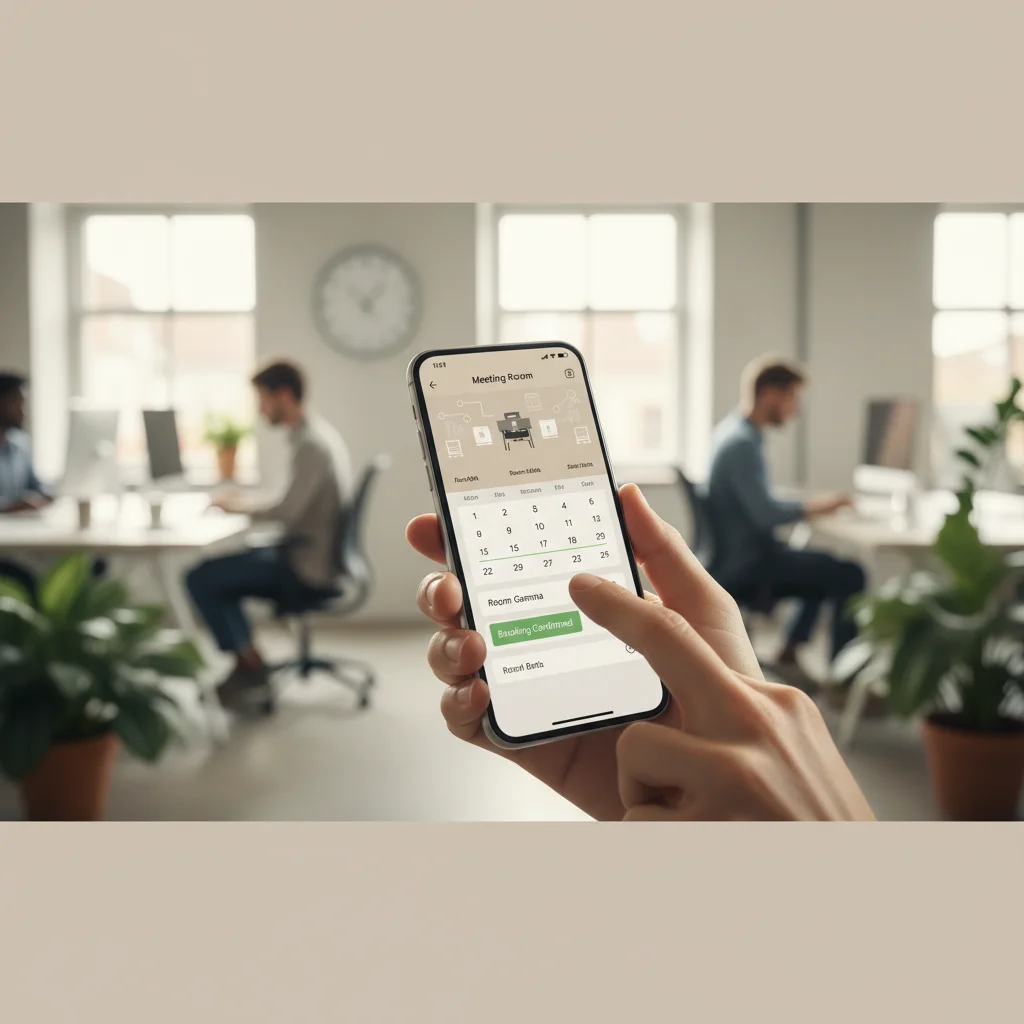
Half your conference rooms sit empty on Tuesdays while employees argue over the one remaining open slot on Thursday. If that scenario sounds familiar, you're not alone. A well-implemented meeting room booking system is the operational fix that turns chaotic space management into a predictable, data-driven process — and in 2026, it's become a non-negotiable component of any serious hybrid work strategy. This guide walks you through exactly how to evaluate, implement, and optimize a room booking solution for your organization, from initial requirements gathering to go-live and beyond. Expect to spend about two to four weeks on a full deployment, depending on your organization's size.
What You'll Need Before You Start
Before evaluating any meeting room booking system, you need a clear picture of your current space inventory, your IT environment, and the specific pain points driving this initiative.
Technical Prerequisites
- Calendar platform clarity: Know whether your organization runs Microsoft 365, Google Workspace, or a hybrid of both. Your booking system must integrate natively with whichever calendar platform your employees use daily [1].
- Network infrastructure: Room display tablets (used to show real-time availability outside each room) require stable Wi-Fi or a wired connection at each door panel location.
- SSO/directory integration: Enterprise deployments typically require Single Sign-On (SSO) via Azure Active Directory or Okta to manage user authentication at scale.
- Hardware inventory: Decide whether you'll use vendor-supplied tablets (such as Logitech Tap Scheduler [2]) or repurpose existing Android/iPad devices.
Organizational Prerequisites
- A complete inventory of bookable spaces: conference rooms, focus rooms, phone booths, and collaboration zones
- Baseline utilization data, even if it's just badge access logs or manual occupancy counts
- Stakeholder alignment across IT, Facilities, and HR — all three teams will be affected by the rollout
- A defined policy for booking rules: advance booking windows, maximum booking durations, cancellation deadlines, and ghost-booking (abandoned reservation) penalties
Pro Tip: Before you issue an RFP, spend one week collecting raw utilization data from badge readers or existing calendar systems. Organizations that enter vendor evaluations with real occupancy numbers negotiate better contracts and make faster decisions.
Prerequisites Checklist by Organization Size
| Requirement |
SMB (under 250 employees) |
Mid-Market (250–2,000) |
Enterprise (2,000+) |
| Calendar integration |
Google Calendar or M365 basic |
M365 / Google Workspace with room resources |
M365 / Google + IWMS integration |
| SSO requirement |
Optional |
Recommended |
Required |
| Hardware displays |
Optional |
Recommended |
Required |
| Utilization baseline data |
Nice to have |
Recommended |
Required for ROI case |
Step 1: Define Your Meeting Room Booking System Requirements
Defining requirements before you look at any vendor demo is the single most effective way to avoid buying a system that looks impressive but doesn't fit how your teams actually work.
Functional Requirements
Start by listing what the system must do, what it should do, and what would be nice to have. This MoSCoW prioritization framework (Must Have, Should Have, Could Have, Won't Have) keeps evaluation teams focused and prevents scope creep during vendor negotiations.
- Must Have: Real-time room availability, calendar sync (M365 or Google), self-service booking via web and mobile, automated release of no-show reservations (ghost-booking prevention)
- Should Have: Room display tablet support, utilization reporting, equipment/amenity filtering (projector, video conferencing, whiteboard)
- Could Have: AI-powered room recommendations, visitor management integration, occupancy sensor integration
- Won't Have (for now): Full IWMS replacement, catering order management
Compliance and Security Requirements
For enterprise deployments, security isn't optional. AVIXA's guidance for IT departments highlights that room booking systems often handle sensitive calendar and personnel data, which means they must meet your organization's data residency and access control standards [1].
- Confirm data residency: where is booking data stored, and does it comply with GDPR (for EU-based employees) or other applicable data protection regulations?
- Verify role-based access control (RBAC): admins, floor managers, and end users should have differentiated permission levels
- Check audit logging: enterprise procurement teams and compliance officers will ask for this
One pitfall to watch for: teams often define requirements based on the features they've seen in demos, rather than the problems they actually need to solve. Start with the problem (double-bookings, ghost reservations, lack of utilization visibility) and work backward to the feature set.
Step 2: Evaluate and Compare Meeting Room Booking System Options
The meeting room booking system market in 2026 includes more than 30 credible solutions, ranging from free tools built on Google Calendar to enterprise platforms with AI-powered analytics [3].
Key Evaluation Criteria
Research from People Managing People's 2026 analysis of room booking software identifies several factors that consistently separate high-performing tools from mediocre ones [4]:
- Integration depth: Does the system sync bidirectionally with your calendar platform, or does it create a separate booking silo?
- Mobile experience: Employees book rooms from their phones. A clunky mobile UI kills adoption faster than any other factor.
- Analytics and reporting: Can you export utilization data in formats your real estate team can use for portfolio decisions?
- Scalability: Can the platform handle your current room count and grow with you as you add locations?
- Support and SLA: What's the vendor's uptime guarantee, and what does enterprise support actually look like?
Free vs. Paid Options
Free solutions exist and can work well for smaller organizations. Google Calendar's Resource Calendars allow you to create bookable room resources at no additional cost [5]. Microsoft 365 includes room mailboxes that function as a basic meeting room booking system within Outlook and Teams. For organizations needing tablet displays, automated no-show releases, or detailed utilization reporting, a dedicated paid platform is typically necessary [6].
Meeting Room Booking System: Free vs. Paid Comparison
| Feature |
Free (Google/M365 native) |
Paid Dedicated Platform |
| Room availability display |
Calendar only |
Calendar + physical tablet display |
| Ghost-booking prevention |
Manual only |
Automated check-in/release |
| Utilization analytics |
Basic / manual export |
Built-in dashboards and reporting |
| Amenity filtering |
Limited |
Full (AV, capacity, location) |
| Cost |
$0 additional |
Typically $3–$15/room/month |
Step 3: Configure Your Meeting Room Booking System for 2026
Configuration quality determines whether your system gets adopted or abandoned within the first 30 days. Getting the setup right from the start saves weeks of troubleshooting later.
Set Up Room Resources and Booking Policies
- Create room resources in your calendar platform (M365 room mailboxes or Google Workspace resource calendars) and give each room a clear, consistent naming convention (e.g., "NYC-Floor4-Hudson-10pax").
- Define booking rules for each room: maximum advance booking window (typically 14–30 days), maximum single-booking duration, and whether approval is required for large rooms.
- Configure auto-release rules to cancel reservations if no check-in is registered within 10–15 minutes of the booking start time. This single setting reduces ghost bookings by up to 30% in most deployments.
- Set up amenity attributes for each room: capacity, AV equipment, video conferencing capability, accessibility features, and any catering options.
- Assign admin roles using RBAC: floor managers should be able to override bookings for maintenance or VIP events without having full system admin access.
Integrate With Your Existing Workplace Stack
For organizations running a broader hybrid work platform, the meeting room booking system shouldn't operate in isolation. At Upflex, we've found that organizations achieve the highest utilization gains when room booking data feeds directly into their broader workplace analytics layer, where it informs real estate portfolio decisions alongside desk utilization and attendance forecasting data.
Hybrid workplace management platforms like Tactic integrate room booking with desk booking and visitor management in a single interface [7]. This unified approach matters because your teams don't think in siloed tools — they think about "coming into the office" as a single experience.
Pro Tip: Map out every system your room booking data needs to talk to before you finalize your vendor choice. A system that integrates beautifully with M365 but can't export utilization data to your IWMS or analytics platform creates a new data silo instead of solving the old one.
Step 4: Roll Out and Drive Adoption Across Your Teams
A technically sound this method fails if employees don't use it consistently — and adoption is where most enterprise rollouts stumble.
Phased Rollout Strategy
- Pilot with one floor or one office location before a company-wide launch. Choose a location with engaged facilities staff who can surface issues quickly.
- Train floor champions — one or two employees per floor who understand the system well enough to answer peer questions without escalating to IT.
- Communicate the "why" clearly: employees adopt new tools faster when they understand the direct personal benefit (no more arriving to find your booked room occupied) rather than the organizational benefit.
- Install physical tablet displays outside each room during or before the pilot launch. Coworking Resources notes that visible room displays are one of the strongest behavioral nudges for consistent booking compliance [8].
- Monitor adoption metrics weekly for the first 60 days: booking completion rate, check-in rate, and ghost-booking frequency are the three numbers that tell you whether the rollout is working.
Connecting Room Booking to Hybrid Work Coordination
Room booking doesn't exist in a vacuum. In a hybrid work model, employees need to know not just that a room is available, but whether their teammates will be in the office on that day. This is where AI-powered attendance forecasting becomes a genuine operational advantage. Upflex's UnifyAI engine, for example, forecasts office attendance with 97% accuracy, allowing employees to coordinate in-office days before they book a room — rather than booking a room and hoping the right people show up. The result is 88% co-attendance achievement, which is the metric that actually determines whether in-person collaboration is happening.
Step 5: Measure Performance and Optimize Your Space Strategy
Measuring room booking system performance means tracking utilization rates, booking behavior patterns, and the downstream impact on real estate decisions — not just counting reservations.
Key Metrics to Track
- Room utilization rate: The percentage of available booking hours that are actually used. Industry benchmarks suggest most offices run at 40–60% room utilization before implementing a structured booking system [3].
- Ghost booking rate: Reservations made but not checked into. A rate above 15% signals a policy or reminder problem.
- Peak demand periods: Identify which days and hours have the highest demand so you can adjust room configurations or policies accordingly.
- Room type demand mix: Are employees booking large boardrooms for two-person calls? This signals a mismatch between room inventory and actual work patterns.
- Average booking lead time: Short lead times (under 24 hours) indicate reactive booking behavior; very long lead times (over 14 days) may indicate hoarding behavior.
Using Data for Real Estate Decisions
This is where room booking data becomes genuinely strategic. Organizations that aggregate room utilization data alongside desk occupancy and attendance forecasting data can build a defensible business case for real estate portfolio consolidation. Our team at Upflex recommends reviewing room utilization reports quarterly and comparing them against lease renewal timelines — the combination of low utilization data and an upcoming lease event is the clearest trigger for a right-sizing conversation with your CFO. Customers using Upflex's
workplace optimization platform have achieved 40%+ reductions in real estate spend by making exactly these data-driven portfolio decisions.
Common Mistakes to Avoid
Even well-resourced organizations make avoidable errors when deploying a this strategy. Here are the most common ones, drawn from real-world deployments.
Configuration and Policy Mistakes
- Skipping auto-release rules: Ghost bookings are the number-one complaint employees have about room availability. Configuring auto-release is a five-minute task that eliminates the problem almost entirely.
- Setting overly restrictive booking windows: Requiring 48-hour advance notice for all rooms frustrates employees who need to schedule spontaneous collaboration sessions. Reserve restrictions for large, high-demand rooms only.
- Ignoring naming conventions: A room called "CR4B" tells an employee nothing. "NYC-Floor4-Hudson-10pax-VC" tells them everything. Poor naming conventions are a silent adoption killer.
- Deploying without a ghost-booking policy: The system can auto-release rooms, but employees also need to know there are consequences for consistently booking and abandoning spaces.
Strategic and Organizational Mistakes
- Treating room booking as an IT project, not a workplace strategy project: IT can deploy the software, but Facilities and HR need to own the policies and adoption program. Projects without cross-functional ownership stall.
- Failing to connect room data to broader utilization analytics: A room booking system that doesn't feed into your real estate decision-making process is a scheduling tool, not a strategic asset. The data is only valuable if someone is using it to make decisions.
- Choosing a system that doesn't scale: A free or low-cost tool that works for 20 rooms may break down at 200. Evaluate scalability requirements before you commit.
- Underestimating change management: In practice, the technical deployment is the easy part. Employee behavior change is the hard part. Budget time and resources for communication, training, and reinforcement.
Pro Tip: Run a "booking audit" 30 days post-launch. Pull a report of every room that had a utilization rate below 20% and every room that had a demand rate above 80%. Those two lists tell you exactly where to adjust your room inventory, policies, or employee communication before problems compound.
Sources & References
- AVIXA, "Meeting Room Booking System Guide for IT," 2026
- Logitech, "Room Booking — Simplified Scheduling & Reservations," 2026
- Archie, "30+ Best Meeting Room Booking Software: 2026 In-Depth Review," 2026
- People Managing People, "32 Best Meeting Room Booking Software of 2026," 2026
- Reddit r/office, "Meeting Room Booking System Discussion," 2024
- Dibsido, "Free Meeting Room Booking System: 5-Min Setup," 2026
- Tactic, "Hybrid Workplace Management | Desk & Room Booking," 2026
- Coworking Resources, "Best Meeting Room Booking Systems," 2026
Frequently Asked Questions
1. What is a meeting room booking system?
A this approach is a software platform that allows employees to reserve conference rooms and shared workspaces in real time, preventing double-bookings and eliminating ghost reservations through automated check-in and release rules. Beyond basic scheduling, modern systems provide utilization analytics that help corporate real estate and facilities teams understand how space is actually being used — data that directly informs decisions about office footprint and lease renewals. The best systems integrate with existing calendar platforms like Microsoft 365 or Google Workspace and offer physical room display tablets for in-office visibility.
2. What is the best appointment booking system for meeting rooms in 2026?
The best the practice depends on your organization's size, calendar platform, and whether you need standalone room scheduling or a broader hybrid workplace management solution. For enterprises needing deep integration between room booking, desk booking, attendance forecasting, and real estate analytics, a unified workplace optimization platform delivers significantly more value than a point solution. Standalone dedicated tools like MeetingRoomApp and Joan work well for organizations focused purely on room scheduling, while platforms like Upflex layer AI-powered attendance forecasting on top of space booking for a complete hybrid work solution. Results vary based on your specific environment and adoption approach.
3. Does Microsoft have a room scheduling tool?
Yes. Microsoft 365 includes room mailboxes and the Room Finder feature within Outlook and Microsoft Teams, which function as a basic this practice at no additional cost for existing M365 subscribers. Room mailboxes allow employees to check availability and reserve spaces directly from a calendar invite, and administrators can configure booking policies including auto-acceptance rules and capacity limits. However, M365's native room scheduling lacks physical tablet display support, advanced ghost-booking prevention, and the granular utilization analytics that dedicated platforms provide — limitations that matter significantly for larger enterprises managing dozens of rooms across multiple locations.
4. Does Google have a room scheduling tool?
Google Workspace includes Resource Calendars, which allow administrators to create bookable room resources that employees can add to calendar invites — effectively a built-in this method for Google-first organizations. Admins can set booking restrictions, manage room attributes, and view basic availability. The limitation is that Google's native tool doesn't include physical room display integration, automated no-show release, or utilization dashboards. Organizations running Google Workspace that need those capabilities typically layer a dedicated room booking application (such as MeetingRoomApp or SuperSaaS) on top of their existing Google infrastructure.
5. How do I prevent ghost bookings in a meeting room system?
Ghost bookings — reservations made but never actually used — are the most common complaint about meeting room availability and typically inflate perceived room demand by 20–30%. The most effective prevention mechanism is automated check-in enforcement: the system sends a reminder 5–10 minutes before a booking starts, and if no check-in is registered within 10–15 minutes of the start time, the room is automatically released for others to book. Pairing this with a clear employee communication policy (and, for repeat offenders, a gentle escalation process) reduces ghost booking rates to under 5% in most organizations within 60 days of implementation.
6. Can a meeting room booking system integrate with hybrid work scheduling tools?
Yes, and this integration is increasingly important for hybrid organizations. A this strategy that connects with attendance forecasting and desk booking tools gives employees a complete picture of who will be in the office before they reserve a space — which means teams can coordinate in-person collaboration days intentionally rather than hoping for overlap. Platforms that unify room booking, desk booking, and AI-powered attendance forecasting into a single interface represent the direction the market is moving in 2026, as organizations recognize that isolated scheduling tools don't solve the underlying coordination challenge of hybrid work.
Conclusion
A well-deployed this approach does more than stop the double-booking arguments. It generates the utilization data your real estate team needs to make defensible portfolio decisions, gives employees a frictionless booking experience that actually drives in-office attendance, and creates the operational foundation for a high-functioning hybrid workplace. The steps are clear: define your requirements, evaluate options against those requirements, configure policies that prevent ghost bookings, drive adoption through champions and visible displays, and measure performance relentlessly.
The organizations seeing the biggest gains in 2026 aren't treating room booking as a standalone tool. They're connecting it to desk booking, attendance forecasting, and real estate analytics in a unified platform. That's the approach Upflex is built around — combining AI-powered office orchestration with a global on-demand workspace network so every square foot you pay for earns its keep, and every team that comes in has a reason to be there.
About the Author
Written by the SaaS experts at Upflex. Our team brings years of hands-on experience helping businesses with SaaS, delivering practical guidance grounded in real-world results.
Recommended Articles
Explore more from our content library: