Share This Article
No items found.


A workplace intelligence platform is a data-driven software system that collects, analyzes, and acts on real-time information about how, when, and where employees work. It combines occupancy sensors, scheduling data, and AI-powered forecasting to help organizations make smarter decisions about their physical office space. For corporate real estate and HR leaders, this kind of platform isn't a luxury. It's the infrastructure that makes hybrid work financially sustainable.
Half-empty floors on Tuesdays. Packed conference rooms on Thursdays. Employees booking desks they never show up to use. These are the daily realities that cost global enterprises millions in wasted real estate spend. A workplace intelligence platform addresses each of these problems directly, replacing guesswork with data and reactive decisions with predictive coordination.
This guide covers what a workplace intelligence platform actually is, how the underlying technology works, the measurable benefits it delivers, common pitfalls to avoid, and the best practices that separate successful deployments from expensive disappointments.
A workplace intelligence platform is an integrated software system that uses data from multiple sources, including badge readers, desk booking tools, occupancy sensors, and employee scheduling inputs, to generate actionable insights about office utilization and workforce behavior. It connects physical space management with people analytics to support smarter real estate and operational decisions.
The term covers a broad category of tools. At the basic end, you'll find simple utilization dashboards that report on desk and room occupancy. At the more sophisticated end, platforms like Upflex layer in AI-powered attendance forecasting, hybrid work coordination automation, and access to external on-demand workspace networks.
According to OfficeSpace Software, workplace intelligence combines data from WiFi, sensors, badge systems, and desk booking activity to create a unified picture of how space is actually being used [1]. That unified picture is what enables confident portfolio decisions.
The category intersects with, but is distinct from, workforce intelligence platforms. Allegis Global Solutions describes an intelligent workforce platform as a single integration point for all talent-related technologies [2]. A workplace intelligence platform focuses specifically on the physical work environment, not just the people in it.
Hybrid work has become the default operating model for most large enterprises. But the real estate portfolios supporting those enterprises were designed for five-day-a-week occupancy. That mismatch is expensive. Industry analysts at Workplace Intelligence consistently report that underutilized office space is one of the top three operating cost concerns for corporate real estate leaders globally [3].
The answer isn't simply to cut space. It's to understand usage patterns precisely enough to right-size portfolios without harming employee experience or team collaboration. That's exactly what a well-deployed workplace intelligence platform enables.
| Platform Type | Primary Focus | Key Output |
|---|---|---|
| Workplace Intelligence Platform | Physical space utilization and hybrid coordination | Real estate optimization, attendance forecasting |
| Workforce Intelligence Platform | People analytics, skills, and talent data | Workforce planning, retention insights |
| IWMS (Integrated Workplace Management System) | Facilities management and maintenance | Asset tracking, maintenance scheduling |
| Desk Booking Software | Individual workspace reservations | Desk availability, booking confirmations |
A workplace intelligence platform works by ingesting data from multiple sources, processing it through an analytics or AI engine, and surfacing recommendations that help teams and real estate leaders take action on space, scheduling, and portfolio decisions.
The platform doesn't rely on a single data stream. Effective systems pull from several inputs simultaneously:
Platforms like Visier demonstrate how combining people data with operational signals creates a more complete picture of workforce behavior than any single source can provide [4].
Raw data alone doesn't optimize anything. The intelligence layer is what separates a reporting dashboard from a true workplace intelligence platform.
Upflex's proprietary AI engine, UnifyAI, processes employee scheduling inputs and historical attendance patterns to forecast office attendance with 97% accuracy. That's not a rounding estimate. It means that when your facilities team is planning for Tuesday's headcount, they're working from a number that's almost always right, not a guess based on last month's badge swipes.
This forecasting accuracy enables automated workplace orchestration: the platform can suggest which days specific teams should align for in-office collaboration, automatically coordinate desk assignments, and flag when planned attendance exceeds current space capacity before it becomes a problem.
Pro Tip: When evaluating any workplace intelligence platform, ask vendors to demonstrate forecast accuracy against historical data from your own industry. Generic accuracy claims don't account for the attendance volatility patterns specific to your workforce. Demand a proof-of-concept with your actual scheduling data before committing.
Research from Elevates.ai's 2026 comparison of AI-powered workforce intelligence platforms confirms that AI-driven forecasting is now the primary differentiator separating leading platforms from legacy utilization tracking tools [5].
The measurable benefits of deploying a workplace intelligence platform fall into three categories: cost reduction, employee experience improvement, and strategic decision-making confidence.
This is typically the primary business case. When you know exactly how much of your office is being used, on which days, and by which teams, you can make data-driven decisions about which leases to renew, which floors to consolidate, and which locations to exit entirely.
Upflex customers achieve 40%+ reductions in real estate spend. That figure isn't aspirational. It reflects what happens when portfolio decisions are driven by utilization data rather than assumptions about how often employees will show up.
For a global enterprise spending $50 million annually on office real estate, a 40% reduction represents $20 million in annual savings. That's a number the CFO can act on.
Cost reduction only tells half the story. The other half is making sure that when employees do come into the office, the experience is worth the commute.
A common frustration in hybrid workplaces is showing up to find that none of your team members are in that day. The this approach solves this through co-attendance coordination. Upflex achieves an 88% co-attendance rate for its customers, meaning teams are reliably in the office on the same days, making in-person collaboration intentional rather than accidental.
According to Workstatus's research on work intelligence, teams that use data-driven coordination tools report significantly higher satisfaction with in-office days compared to organizations relying on voluntary attendance policies alone [6].
Pro Tip: Don't position the workplace intelligence platform to employees as a monitoring tool. Frame it as a coordination service that helps them know their team will be there when they make the trip in. Adoption rates are significantly higher when employees see personal value, not just corporate surveillance.
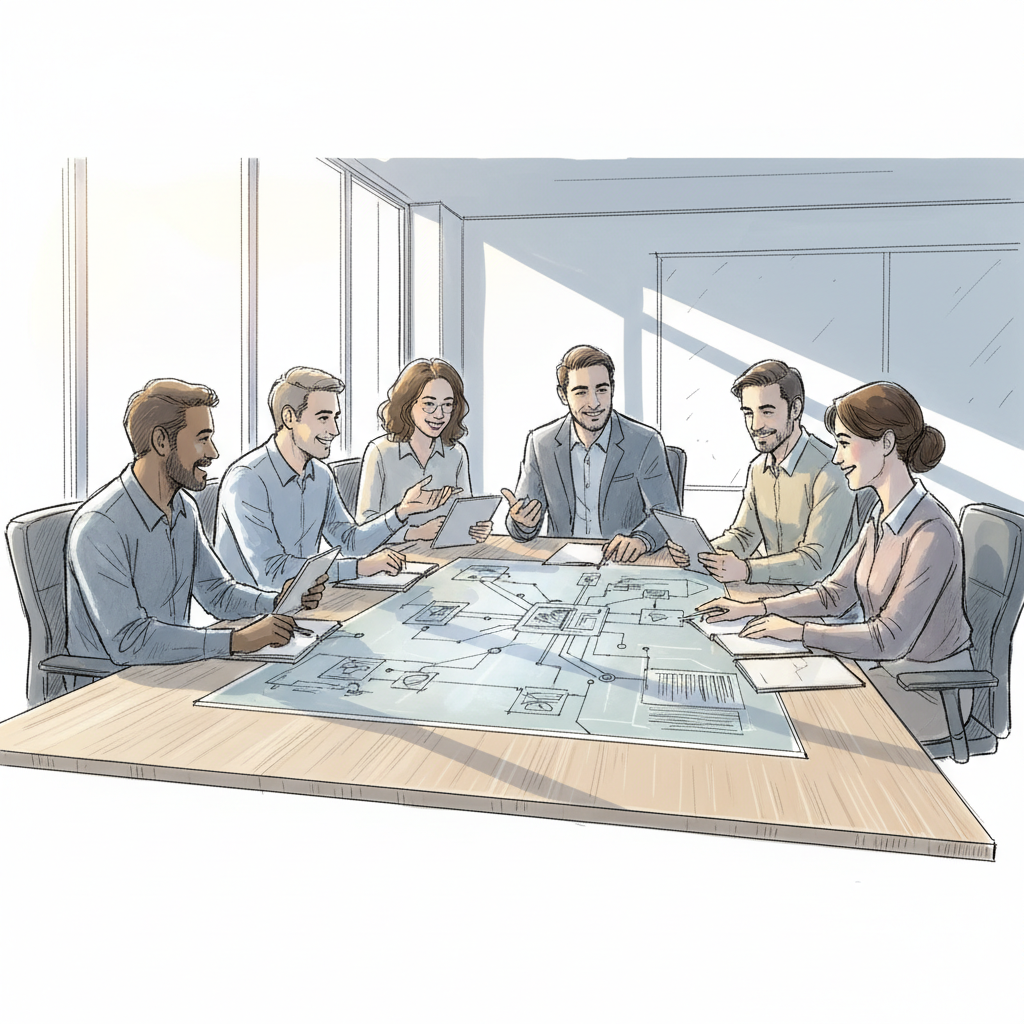
Deploying a this approach isn't without pitfalls. From experience working with global enterprises, the most expensive mistakes happen before the platform goes live, not after.
The most common technical failure is attempting to build workplace intelligence on incomplete data. Organizations that rely solely on badge data miss employees who tailgate through doors without scanning. Those that use only desk bookings miss the gap between intention and actual presence.
A robust this needs at least three corroborating data sources to produce reliable utilization figures. OfficeSpace Software's documentation on workplace intelligence explicitly notes that WiFi, sensors, and booking data must be combined to produce accurate occupancy analysis [1].
One pitfall to watch for: organizations that purchase a platform but fail to integrate it with their existing IWMS (Integrated Workplace Management System) or HR information system. Without that integration, the platform produces insights that can't be acted on at scale.
A second common mistake is deploying the platform primarily to track employee behavior rather than to optimize space and coordination. This creates employee relations problems and undermines adoption.
The distinction matters. Monitoring asks "is this employee working?" Strategy asks "is this space being used effectively?" The first question erodes trust. The second one reduces costs and improves experience simultaneously.
Platforms like TeamGrid explicitly position themselves as privacy-first, reflecting the industry's recognition that employee trust is a prerequisite for platform success [7]. Any it deployment should include a clear employee communication plan that explains what data is collected, how it's used, and what it isn't used for.
The growing intersection of AI and workplace data also raises governance questions. Organizations in regulated industries should review how their platform handles personal data, particularly in light of privacy frameworks like GDPR. For context on how AI is transforming data-driven decision-making in complex, regulated sectors, the analysis of Intelligence Artificielle Banque R Volution Technologique offers useful parallels for enterprise leaders thinking through AI governance.
| Common Mistake | Impact | How to Avoid It |
|---|---|---|
| Single data source dependency | Inaccurate utilization figures | Integrate badge, sensor, and booking data |
| No IWMS or HR system integration | Insights can't drive action at scale | Map integrations before purchase |
| Framing as employee surveillance | Low adoption, employee resistance | Lead with coordination value, not monitoring |
| No change management plan | Platform underutilized post-launch | Assign internal champion, run pilot first |
| Ignoring privacy compliance | Regulatory risk, reputational damage | Audit data handling against GDPR/local law |
Successful deployments share a common set of practices: they start with a clear business case, integrate multiple data sources, involve employees early, and measure outcomes against defined benchmarks.
The organizations that get the most from a this method are the ones that define success metrics before they sign a contract. What's the target reduction in real estate spend? What co-attendance rate does the CHRO consider a cultural success? What utilization threshold triggers a lease renewal decision?
At Upflex, we've found that customers who enter with specific targets, such as a 35% reduction in real estate costs or an 85% co-attendance rate, achieve measurable outcomes faster than those who deploy the platform hoping it will surface insights organically. The technology works best when it's pointed at a defined problem.
Follow this sequence for a structured deployment:
One of the most underutilized capabilities in modern this strategys is the ability to extend beyond owned office space. Organizations with employees in cities where they don't have a fixed office are often forced to choose between paying for a new lease or telling employees to work from home.
Upflex solves this through its on-demand workspace network, which gives employees access to flexible workspaces globally without requiring new lease commitments. The this approach tracks usage across both owned offices and on-demand locations, giving real estate leaders a consolidated view of their entire portfolio.
Research from Aura Intelligence, which analyzes billions of workforce data points globally, confirms that distributed workforce patterns in 2026 require portfolio strategies that combine fixed and flexible space rather than relying on either alone [8].
Pro Tip: Use your workplace intelligence platform's utilization data to build a quarterly "space efficiency report" for your CFO. A single page showing cost-per-occupied-desk, co-attendance rates, and projected savings from portfolio consolidation turns a technology investment into a boardroom-ready business case. Numbers that are visible get acted on.
Industry frameworks like the WELL Building Standard and LEED certification increasingly incorporate occupancy data as part of their assessment criteria, making thiss relevant not just for cost management but also for sustainability reporting. As of 2026, organizations pursuing ESG commitments are using utilization data to reduce energy consumption in underoccupied spaces, adding another layer of ROI to the platform investment.
Platforms like Phenom's workforce intelligence software illustrate how AI-driven insights are being applied across the employee lifecycle, from recruitment through retention, showing the broader trajectory of intelligence platforms in the enterprise [9].
The Work Futures Lab, which tracks how AI is reshaping work patterns, notes that organizations using predictive workplace tools in 2026 are better positioned to adapt their real estate strategies as workforce composition and hybrid norms continue to evolve [10].

An intelligent workplace platform is a software system that integrates data from physical sensors, employee scheduling tools, desk booking systems, and access control to provide real-time and predictive insights about office utilization. Unlike basic reporting dashboards, a true it uses AI to forecast attendance, automate space coordination, and recommend portfolio decisions. The goal is to align physical real estate investments with how employees actually work, not how they were expected to work five years ago.
A this method typically collects occupancy data from IoT sensors, desk and room booking records, building access badge logs, and calendar or scheduling inputs from tools like Microsoft 365 or Google Workspace. More advanced platforms also incorporate HR system data such as team structures and headcount, allowing them to analyze not just whether a space is occupied, but whether the right teams are co-located for productive collaboration. All data collection should comply with applicable privacy regulations, including GDPR for organizations operating in Europe.
this strategys primarily use three categories of AI: predictive analytics (forecasting future attendance based on historical patterns and scheduling signals), machine learning (continuously improving forecast accuracy as more behavioral data is collected), and prescriptive AI (recommending specific actions, such as which desks to assign or which leases to consolidate). The most advanced systems, like Upflex's UnifyAI engine, combine all three to deliver both high-accuracy forecasts and automated coordination workflows. Reactive rule-based systems still exist in older IWMS tools but are increasingly being replaced by these more capable approaches.
ROI from a this approach is most clearly measured through three metrics: reduction in real estate spend (comparing cost-per-occupied-desk before and after deployment), improvement in team co-attendance rates (the percentage of team members present in the office on the same day), and reduction in wasted space (square footage consistently below a target utilization threshold). Organizations using Upflex have documented 40%+ reductions in real estate spend and 88% co-attendance achievement. Establishing a pre-deployment baseline for each metric is essential to calculating genuine ROI rather than estimated savings.
A desk booking tool tells you where someone planned to sit yesterday. A this tells you who's actually coming in tomorrow, coordinates their teams around that forecast, and surfaces the portfolio-level insights that inform lease and consolidation decisions. Desk booking is a feature within a broader it, not a substitute for one. The key distinction is the presence of AI-powered forecasting, cross-team coordination, and real estate analytics, none of which a standalone booking tool provides.
As of 2026, the most important evaluation criteria are forecast accuracy (ask for documented accuracy rates against real historical data), integration depth (the platform must connect with your existing IWMS, HR system, and calendar tools), data privacy compliance (verify GDPR and local regulatory alignment), and the ability to manage both owned office space and external on-demand workspaces in a single view. Platforms that offer only one of these capabilities require supplementary tools, which adds cost and complexity. A unified platform that handles the full portfolio, like Upflex, reduces that overhead significantly.
The hybrid work era has created a real estate problem that spreadsheets and gut instinct can't solve. Too much space, used too unpredictably, by teams that aren't coordinating their in-office days. A this method addresses this directly, replacing assumptions with data and reactive decisions with predictive coordination.
The financial case is clear. Organizations that deploy a this strategy with proper data integration, defined success metrics, and a focus on coordination rather than surveillance consistently achieve meaningful reductions in real estate spend without sacrificing employee experience or team collaboration.
Upflex combines AI-powered office orchestration through its UnifyAI engine with access to the world's largest on-demand workspace network, giving corporate real estate and HR leaders a single platform to manage their entire portfolio. The results speak directly to the business case: 40%+ real estate savings, 97% attendance forecast accuracy, and 88% co-attendance achievement.
If your organization is still making portfolio decisions based on badge swipe averages and anecdotal feedback from facilities managers, the gap between where you are and where a this approach can take you is significant. The technology exists. The ROI is documented. The question is how much longer you'll pay for space you're not using.
Explore more from our content library: